
Building a smart-home TTS stack on hardware you already own — no GPU, no cloud API, no bill. We wanted text-to-speech for automation triggers that runs locally, on existing CPU hardware, without sending every doorbell announcement through a third-party API. So we built a FastAPI service around Kokoro ONNX with voice blending, dialogue scripting, and a Gradio UI. Here’s what works, what’s slow, and what we’d add for production.
TL;DR
Kokoro TTS Service is a self-hosted text-to-speech API built on Kokoro ONNX — running entirely on CPU. It serves 54 voices across 8 languages, supports dialogue scripting with per-line voice/speed/delay control, and blends voices using additive averaging or SLERP on 256-dimensional embeddings. The trade-off: RTF of 1.4x–4.5x means it’s slower than real-time on CPU. No auth, no queue, no database — built for smart home exploration, not production distribution. View the repo.
What You’ll Learn
-
CPU-Only TTS with ONNX
No GPU required. INT8 quantised model runs on any modern CPU with acceptable latency for smart home use.
-
Dialogue Scripting Engine
Multi-line scripts with per-line voice selection, speed, delays, and voice blending. The real differentiator.
-
Voice Blending
Create unique voices by blending 2–3 existing voices with additive averaging or SLERP interpolation.
Why Self-Hosted TTS?
The project started from a narrow, practical need: text-to-speech for smart home automation, running on hardware that was already sitting in the rack. No GPU budget, no interest in sending every doorbell announcement and morning briefing through a third-party API, and no appetite for per-character billing on something that should just work locally.
That constraint — CPU-only, no external dependency — shaped every decision that followed. Cloud TTS APIs work, but they send every utterance to an external server. For a home automation system that runs locally, that’s a non-starter. And we didn’t have a GPU in the rack, so the choice was simple: make TTS work on existing CPU hardware or don’t bother.
| Factor | Cloud APIs | Self-Hosted (CPU) |
|---|---|---|
| Privacy | Text sent to external servers | Everything stays on-premise |
| Hardware | No hardware needed | Any modern CPU works |
| Cost | Per-character pricing | Free after hardware |
| Latency | 200–500ms network round-trip | Local inference, no network |
| Rate limits | Per-account quotas | Limited only by CPU |
| Customisation | Fixed voice options | 54 voices, blend any combination |
The privacy argument was sufficient for smart home use. But the customisation is what made it interesting — 54 built-in voices across 8 languages, plus the ability to blend any combination into unique voices.
Kokoro ONNX: What It Is
Kokoro ONNX is a small, open-weight TTS model — notably lightweight compared to the diffusion- and transformer-heavy TTS stacks that assume a GPU is available. Exported to ONNX, it runs through ONNX Runtime’s CPU execution provider, which means no CUDA, no ROCm, no driver stack to maintain — just a .onnx file and a runtime that runs anywhere ONNX Runtime does.
The model ships in three quantisation variants:
| Model | Size | Speed | Quality | Best For |
|---|---|---|---|---|
| INT8 | 88 MB | RTF ~4.5x | Good | Low memory, smart home |
| FP16 | 169 MB | RTF ~1.4x | Great | Balanced performance |
| FP32 | 310 MB | RTF ~1.5x | Best | Maximum quality |
RTF (Real-Time Factor) tells you how many seconds of CPU time produce one second of audio. An RTF of 1.4x means 1.4 seconds of CPU work per 1 second of speech. Below 1.0 is real-time. Above 1.0 is slower than real-time.
The practical decision that matters most on CPU-only hardware is precision. On GPU, FP16 gives you a proportional speedup because GPUs have native FP16 compute paths. On CPU, most consumer and server CPUs lack native FP16 compute — so the speed gain comes mainly from reduced memory bandwidth, not faster arithmetic. That’s why FP16 and FP32 end up close in RTF on CPU, while INT8 (which actually does get faster arithmetic on CPU) jumps ahead on speed despite being the smallest model.
On our 4-core Xeon, FP16 hits 1.4x — usable for smart home commands where a short delay is acceptable. The default is INT8 (88 MB, fastest load) but FP16 is the sweet spot for quality vs speed. All three models are auto-downloaded from GitHub Releases on first boot — no manual setup required.
Architecture: Two Containers, One Volume
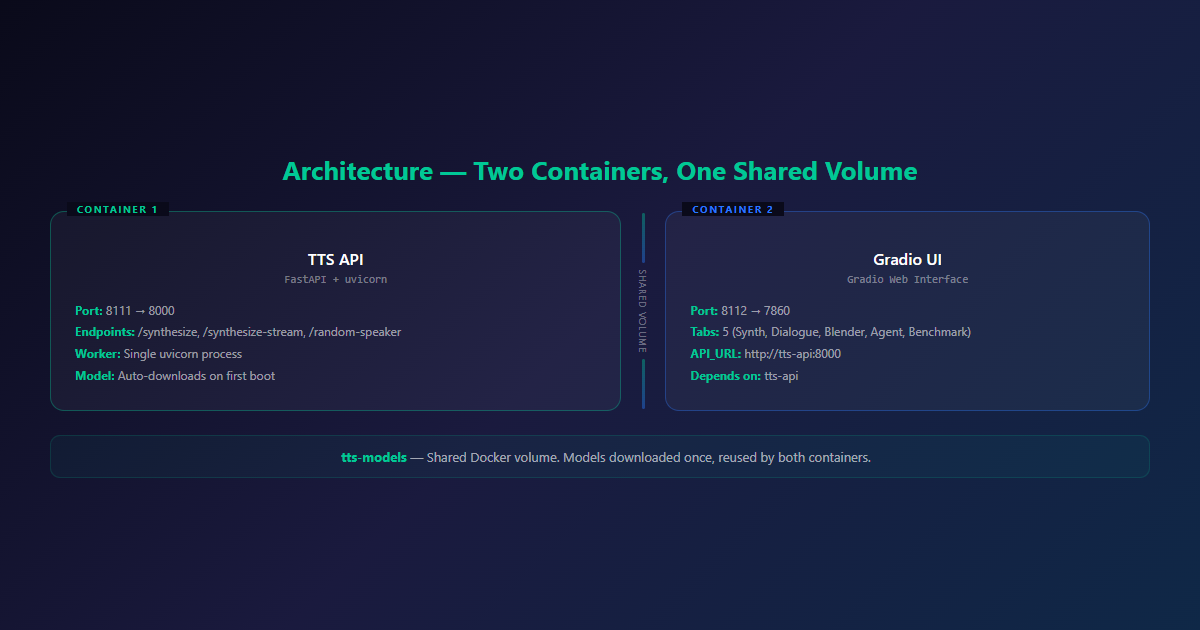
The system runs as two Docker containers managed by Docker Compose:
# docker-compose.yml (simplified)
services:
  tts-api:
    build: .
    container_name: kokoro_tts_api
    volumes:
      - tts-models:/app/models
    ports:
      - "8111:8000"
    restart: always

  gradio-ui:
    build: .
    container_name: kokoro_gradio_ui
    ports:
      - "8112:7860"
    environment:
      - API_URL=http://tts-api:8000
    volumes:
      - tts-models:/app/models
    command: ["python", "gradio_app.py", "--server-name", "0.0.0.0"]
    depends_on:
      - tts-api
    restart: always

volumes:
  tts-models:
The tts-api container runs the FastAPI server with uvicorn (single worker). The gradio-ui container runs the Gradio web interface. Both share a tts-models volume so models are downloaded once and reused.
Models auto-download on first run rather than being baked into the image, which keeps the image lean and makes swapping model versions a config change rather than a rebuild. Total startup time: about 15 seconds.
The Dialogue Scripting System
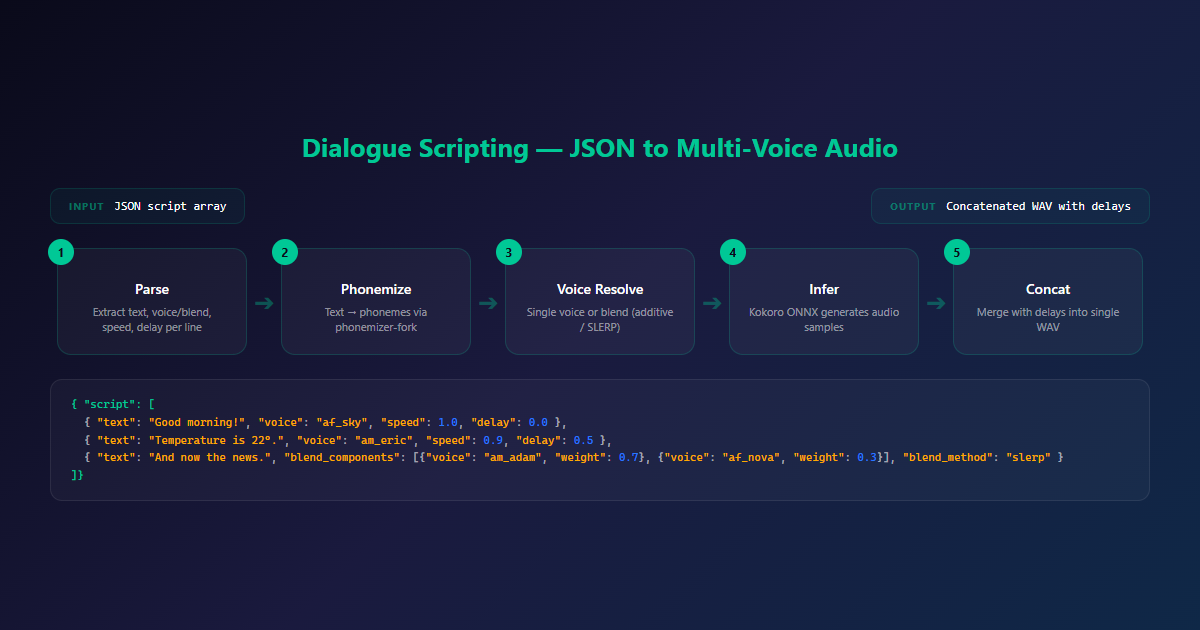
This is the feature that turns Kokoro from “type text, get audio” into something closer to a lightweight audio production tool.
Scripts are defined as arrays of lines, where each line independently specifies a voice (or a blend), speed, delay before the line plays, and optional per-line blend weight if multiple voices are mixed. That’s enough to script a back-and-forth exchange between two distinct voices, insert pauses for pacing, and vary delivery speed per line — without touching code.
{
  "script": [
    {
      "text": "Good morning! Here's your daily briefing.",
      "voice": "af_sky",
      "speed": 1.0,
      "delay": 0.0
    },
    {
      "text": "The temperature outside is 22 degrees.",
      "voice": "am_eric",
      "speed": 0.9,
      "delay": 0.5
    },
    {
      "text": "And now for the news headlines.",
      "blend_components": [
        {"voice": "am_adam", "weight": 0.7},
        {"voice": "af_nova", "weight": 0.3}
      ],
      "blend_method": "slerp"
    }
  ]
}
Each line in the script goes through four stages:
- Parse — extract text, voice/blend, speed, delay
- Phonemize — convert text to phonemes using
phonemizer-fork - Voice resolve — apply single voice or blend voices (additive or SLERP)
- Infer — run Kokoro ONNX to generate audio samples
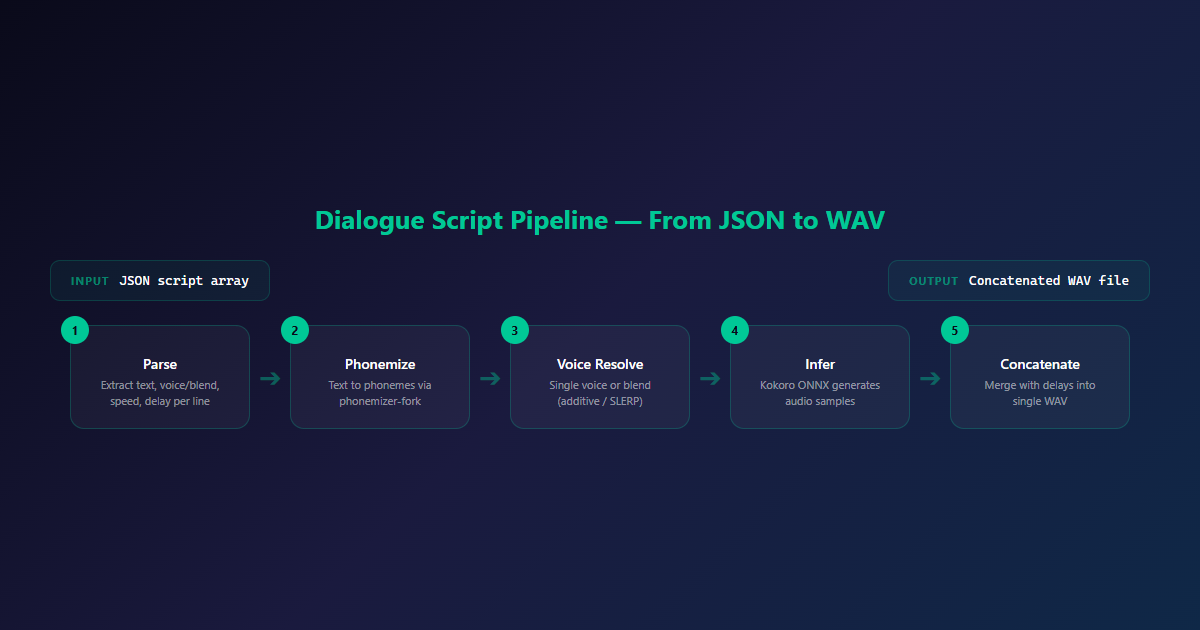
The output is concatenated into a single WAV file with the specified delays between lines. For smart home use, this means you can script multi-character conversations — a narrator, a weather reporter, a news anchor — all in one request. A multi-step announcement (“garage door open… did you mean to leave that?”) can sound like two distinct system voices rather than one flat TTS drone reading a paragraph.
The streaming endpoint (/synthesize-stream) splits text on sentence boundaries and uses an asyncio.Queue producer-consumer pattern to stream audio chunks as they’re generated, reducing perceived latency for longer scripts.
Voice Blending: Additive + SLERP
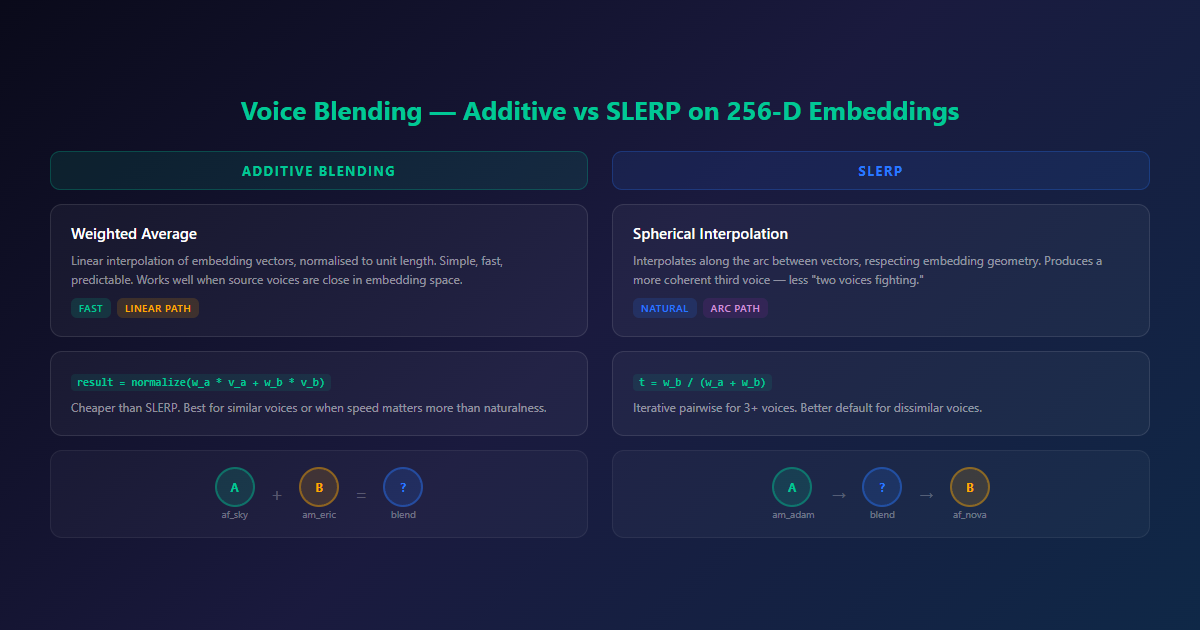
Each of the 54 voices is a 256-dimensional embedding vector. Voice blending operates in this space to create new, unique voices.
Additive Blending
Weighted average of embedding vectors, normalised to unit length. Simple, fast, and predictable. Linear interpolation between points on a high-dimensional embedding manifold doesn’t always produce a natural-sounding midpoint — it can land in a region of the embedding space the model wasn’t really trained to render well. But when the two source voices are already close in the embedding space, additive blending is fine and cheaper than SLERP.
result = normalize(weight_a * voice_a + weight_b * voice_b)SLERP (Spherical Linear Interpolation)
Interpolates along the arc between two vectors rather than the straight line between them, which better respects the geometry of embedding spaces where direction matters more than raw magnitude. For voice embeddings, this tends to produce a blend that sounds more like a coherent third voice and less like two voices fighting for the same sentence. SLERP is the better default for blending two dissimilar voices.
# Iterative pairwise blending for 3+ voices
t = weight_b / (weight_a + weight_b)
result = slerp(voice_a, voice_b, t)
After blending, the system finds the closest existing voice name by Euclidean distance — useful for debugging or when you want to know what the blend “sounds like” relative to known voices.
The random voice endpoints (/random-speaker and /random-custom-voice) use Dirichlet-distributed weights for random blending — great for exploring the voice space.
Gradio UI: Five Tabs
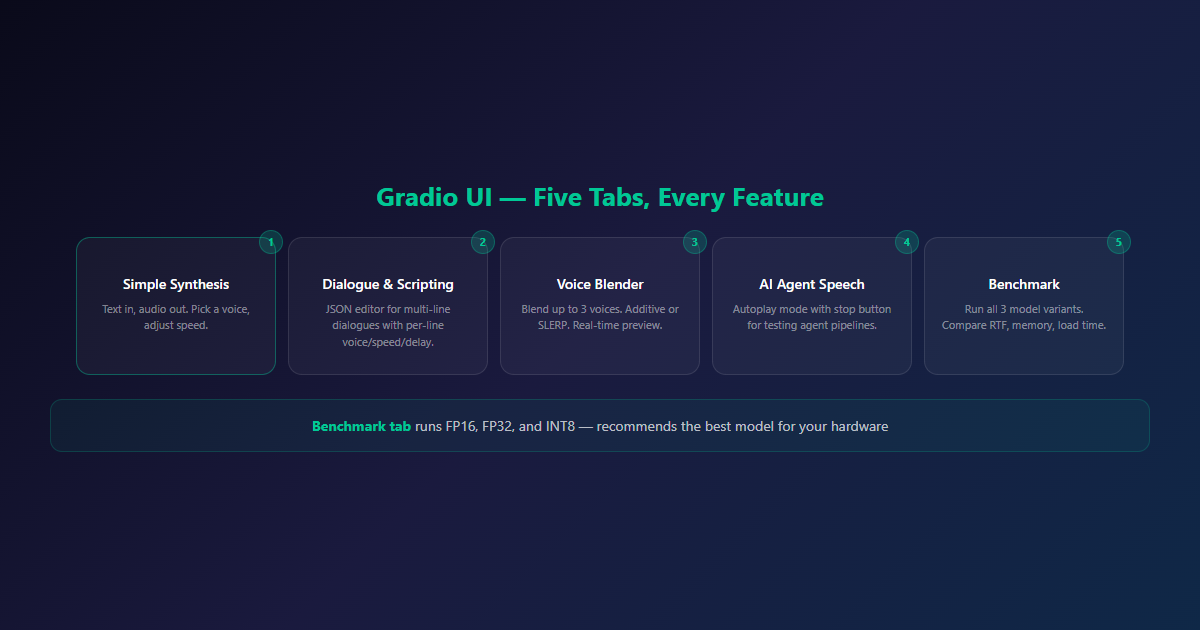
The Gradio interface provides visual access to every feature:
| Tab | What It Does |
|---|---|
| Simple Synthesis | Text in, audio out. Pick a voice, adjust speed. |
| Dialogue & Scripting | JSON script editor for multi-line dialogues with per-line voice/speed/delay. |
| Voice Blender | Blend up to 3 voices with custom weights. Additive or SLERP. Preview in real-time. |
| AI Agent Speech | Autoplay mode with stop button — for testing agent speech pipelines. |
| Benchmark | Run all three model variants, compare RTF/memory/load time, select optimal model. |
The benchmark tab is particularly useful — it runs all three model variants and recommends the best one based on your hardware. On our Xeon, it recommended FP16 as “best balanced” and INT8 as “smallest footprint”.
Benchmark Results: Honest Numbers
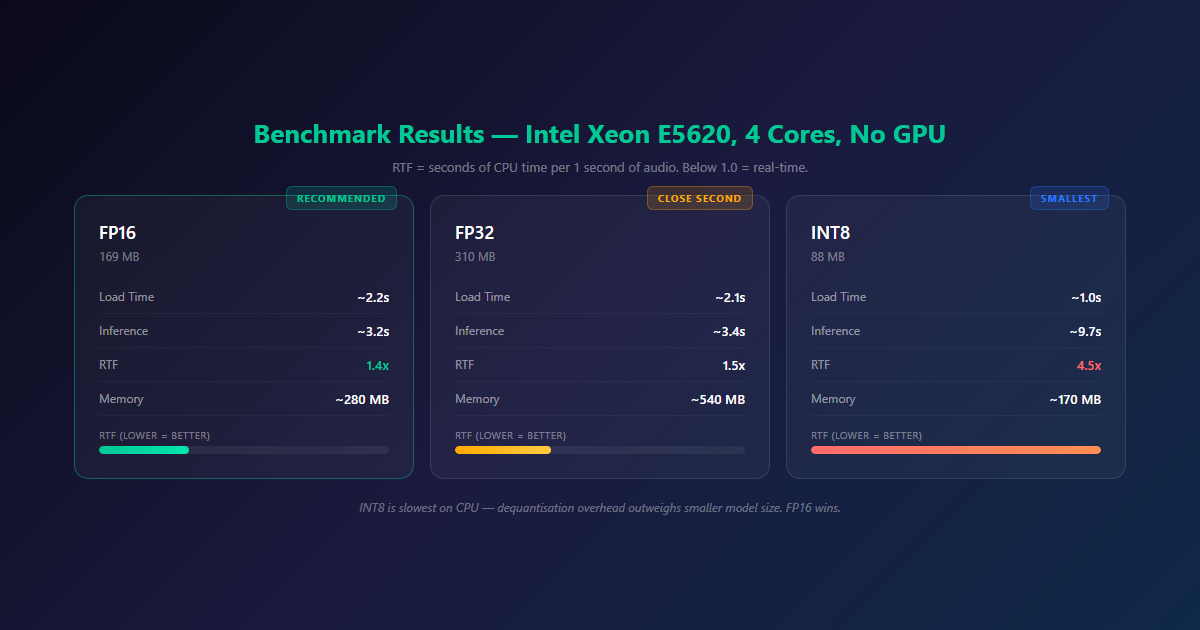
Test hardware: Intel Xeon E5620 @ 2.40GHz, 4 cores / 8 threads, 16GB RAM. No GPU. This is a decade-plus-old server CPU, not a modern chip — worth keeping in mind when reading these numbers, since RTF is going to look meaningfully better on anything newer.
| Metric | FP16 | FP32 | INT8 |
|---|---|---|---|
| Model size | 169 MB | 310 MB | 88 MB |
| Load time | ~2.2s | ~2.1s | ~1.0s |
| Inference time | ~3.2s | ~3.4s | ~9.7s |
| RTF | 1.4x | 1.5x | 4.5x |
| Memory | ~280 MB | ~540 MB | ~170 MB |
That’s the headline number, and it’s not a flattering one — but it’s also the honest one. Nobody self-hosting TTS on an E5620 should expect real-time conversational latency. What this hardware is good for is pre-generated or asynchronous announcements: garage door status, morning briefings queued a few seconds ahead, notification audio rendered on trigger rather than on demand mid-conversation.
The surprise: INT8 is actually the slowest on CPU. Quantisation reduces model size but increases inference time because the CPU has to dequantise during computation. FP16 is the clear winner for speed — 1.4x RTF means a 5-second utterance takes about 7 seconds of CPU time.
For reference, cloud TTS APIs typically hit 0.3–0.5x RTF — but they run on dedicated GPU clusters. We’re running on a decade-old Xeon from the rack. Different league, different constraints.
What’s Missing: Honest Limitations
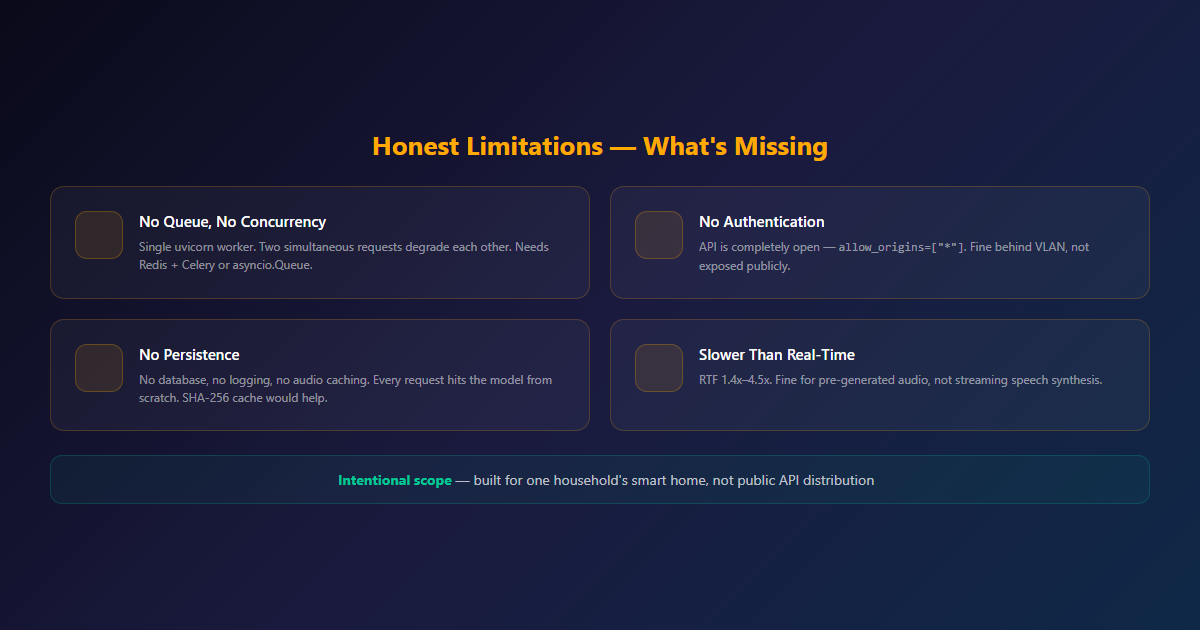
Being direct about the gaps, since a smart-home proof of concept and a production API are different things:
No Queue, No Concurrency
Single uvicorn worker. If two requests arrive simultaneously, the second blocks until the first completes. On a 4-core CPU already running at 1.4–4.5x RTF, two simultaneous requests will contend for the same limited compute and both get slower, not run in parallel at full speed. A request queue (Redis + Celery, or asyncio.Queue-based) is the obvious next step.
No Authentication
The API is completely open — allow_origins=["*"]. Anything on the network can hit the API. Fine behind a private VLAN, not fine exposed publicly without a reverse proxy auth layer in front.
No Persistence
No database, no request logging, no audio caching. Every request hits the model from scratch. For repeated phrases (common in smart home: “good morning”, “temperature is”, “you have messages”), a simple SHA-256 cache would eliminate redundant inference.
Slower Than Real-Time
RTF of 1.4x–4.5x means the CPU can’t keep up with real-time audio playback. Fine for generating a WAV file and playing it. Not fine for streaming speech synthesis where audio must be produced faster than it’s consumed.
None of these are bugs. They’re the result of scoping the project honestly for what it needed to do — run TTS for one household’s smart home triggers — rather than over-building for a use case that didn’t exist yet.
What’s Next
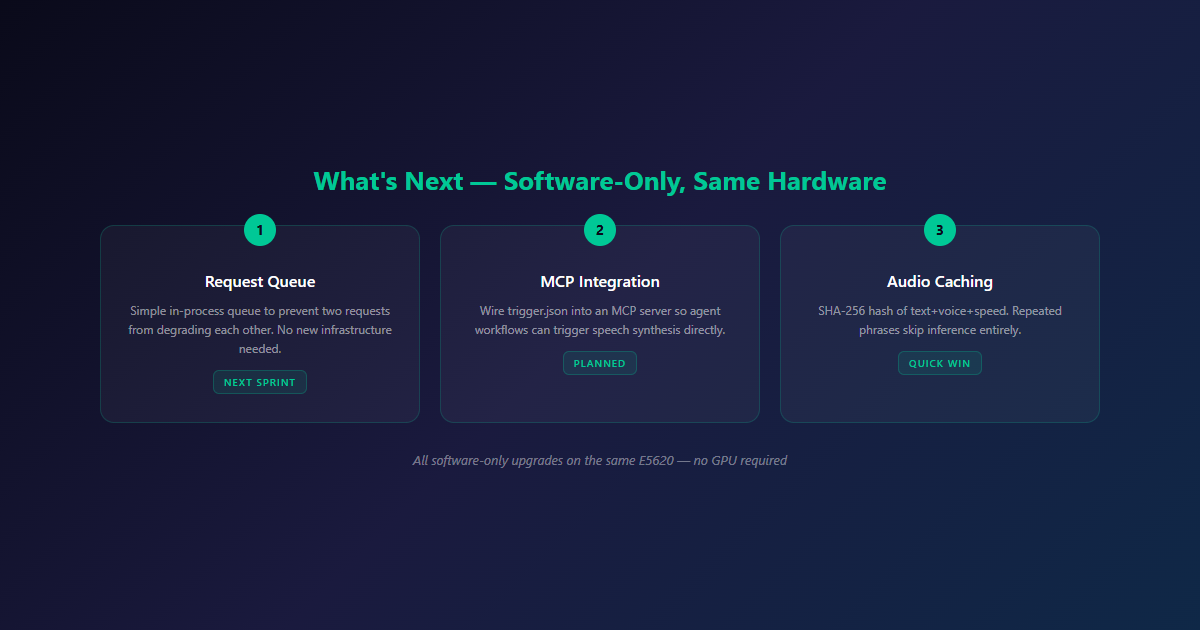
Two concrete next steps:
- Request queue — even a simple in-process queue would remove the worst failure mode (two requests degrading each other) without needing to touch the auth or multi-tenancy question at all.
- MCP integration —
trigger.jsonand_signal.jsonalready exist as a lightweight hook point. Wiring these into an MCP server would let agent workflows trigger speech synthesis directly, rather than needing a bespoke integration per automation.
Neither of those requires new hardware. Both are software-only next steps on the same E5620 — which is, in a way, the whole point of the project: figuring out how far CPU-only inference stretches before you actually need to reach for a GPU.
Final Thoughts
Kokoro TTS Service started as a smart home experiment: can CPU-only TTS produce usable speech? The answer is yes — with the right model (FP16), the right expectations (not real-time), and the right use case (local automation, not public API).
The dialogue scripting system turned out to be the most interesting feature. Per-line voice control, speed adjustments, delays between speakers, and voice blending — it’s more than a TTS wrapper. It’s a mini audio production tool.
The service is published as-is: no auth, no queue, no scaling. That’s intentional. It’s a starting point for anyone who wants to run TTS locally on CPU. Fork it, add a queue, add auth, make it yours.
If you’re building self-hosted AI infrastructure — TTS, LLM inference, or custom models — let’s talk. We’ve been through the CPU constraints, the ONNX optimisations, and the Docker deployment puzzles.
Related Reading
- Self-Hosted AI vs Cloud APIs — The business case for running AI on your own hardware
- Bringing GPU Support to NeuTTS-Air — Another TTS project, this time with GPU acceleration
- VoxNemesis Supertonic — Local-first TTS browser extension with GPU awareness
- Self-Hosted CI/CD on a Home Rack — The deployment pipeline that ships this service
- Self-Hosted AI Services — Run AI models on your own infrastructure

One thought on “Self-Hosted TTS with Kokoro ONNX: What CPU-Only Inference Actually Gets You”