

Part 2 of our OnTheGoRentals dev diary. We tackle the hardest problem in rental systems: preventing double-bookings with JPQL interval queries, and building a secure JWT authentication architecture with Google OAuth2 and role-based access control.
TL;DR
- Double-bookings prevented at the database level with JPQL interval-overlap queries — not application prayers.
- JWT authentication with Google OAuth2 login, HttpOnly refresh cookies, and role-based zones.
- Concurrency + security are one problem in rental systems: who holds the car, and who may touch it.
- Part 2 of 4: continues in Part 3: Infrastructure & Operations.
What You’ll Learn
Temporal Overlap Detection
Using JPQL interval queries to prevent double-bookings without pessimistic locking.
JWT Security Architecture
HttpOnly cookie refresh tokens, Google OAuth2 integration, and Spring Security 6.5 filter chains.
Atomic Check-and-Commit
Running overlap validation inside the same transaction as booking creation.
The Temporal Matrix: Solving Double-Bookings with JPQL
The single most complex problem in OnTheGoRentals was scheduling. A car is not a stateless object like a book or a retail product; its availability is fluid and bounded by time. To check if a car can be booked for a given range (e.g., [2026-07-20 to 2026-07-25]), we must query the database to ensure no overlapping bookings exist.
In high-traffic environments, standard application-level checks fail because of race conditions. Two clients can query the database simultaneously, see the same car as available, and both commit bookings for the exact same date range, creating a devastating double-booking conflict.
The Concurrency Challenge
During load testing, we simulated 200 concurrent users attempting to book the last available SUV in the fleet at the same time. With standard READ_COMMITTED isolation levels, multiple users succeeded in booking the same car for overlapping dates. The database allowed the commits because they happened within overlapping transaction windows.
The root cause? Our initial implementation used a simple findByCarIdAndStatus() query that returned all bookings for a car, then checked for overlaps in Java code. By the time the application checked, another transaction had already committed. This is the classic “check-then-act” race condition.
The Solution: JPQL Interval Overlap Query
Instead of pessimistic locking (which would cause 99% of concurrent booking requests to fail with exceptions), we implemented a JPQL interval overlap query in the repository layer. This query runs inside the same transaction as the booking creation, ensuring atomic check-and-commit:
@Query(“SELECT b FROM Booking b ” +
“WHERE b.car.id = :carId ” +
“AND b.status = :status ” +
“AND b.deleted = false ” +
“AND b.startDate < :proposedEndDate " +
“AND b.endDate > :proposedStartDate”)
List<Booking> findOverlappingBookings(
@Param(“carId”) Integer carId,
@Param(“status”) BookingStatus status,
@Param(“proposedStartDate”) LocalDateTime proposedStartDate,
@Param(“proposedEndDate”) LocalDateTime proposedEndDate
);
This query represents a classic mathematical overlap interval: if a requested range starts before an existing range ends, and ends after the existing range starts, they must overlap. Running this query under a @Transactional annotation with READ_COMMITTED isolation ensures that the check and the subsequent insert happen atomically.
The query only checks CONFIRMED bookings. A PENDING booking doesn’t reserve the car — only a confirmed booking locks the date range. This means users can have multiple pending bookings for the same car, but only one can be confirmed.
The Double-Booking Check in Service Layer
The BookingServiceImpl.isCarDoubleBooked() method orchestrates the overlap detection:
private boolean isCarDoubleBooked(Car car, LocalDateTime proposedStartDate,
LocalDateTime proposedEndDate, Integer excludeBookingId) {
List<Booking> overlappingBookings = bookingRepository
.findOverlappingBookings(car.getId(), BookingStatus.CONFIRMED,
proposedStartDate, proposedEndDate);
if (overlappingBookings.isEmpty()) {
return false;
}
if (excludeBookingId != null) {
boolean otherBookingOverlaps = overlappingBookings.stream()
.anyMatch(b -> b.getId() != excludeBookingId.intValue());
return otherBookingOverlaps;
}
return true;
}
The excludeBookingId parameter is crucial for update scenarios. When a user modifies an existing booking’s dates, we need to check for overlaps with other bookings — not the booking being updated. This prevents the system from flagging a booking as conflicting with itself.
The createBooking() method wraps the double-booking check inside a @Transactional method, so the overlap query and the subsequent save happen in the same database transaction:
@Transactional
public Booking create(Booking bookingDetails) {
Car car = carService.read(bookingDetails.getCar().getUuid());
User user = userService.read(bookingDetails.getUser().getUuid());
if (isCarDoubleBooked(car, startDate, endDate, null)) {
throw new CarNotAvailableException(
“Car is not available for the selected dates.”);
}
Booking bookingToSave = new Booking.Builder()
.copy(bookingDetails)
.setUser(user)
.setCar(car)
.setStatus(BookingStatus.CONFIRMED)
.build();
return bookingRepository.save(bookingToSave);
}
Because both the overlap query and the save execute within the same @Transactional boundary, the database guarantees that no two transactions can both see “no overlap” and both commit. The READ_COMMITTED isolation level ensures that each query sees the most recently committed data, and the JPQL query’s WHERE clause acts as a logical lock.
Total Cost Calculation
Pricing is another temporal calculation. The calculateTotalCost() method in BookingServiceImpl computes the rental cost based on the number of days:
private BigDecimal calculateTotalCost(Car car, LocalDateTime startDate,
LocalDateTime endDate) {
long days = ChronoUnit.DAYS.between(startDate, endDate);
if (days < 1) days = 1; // Minimum 1-day rental
return car.getDailyRate().multiply(BigDecimal.valueOf(days));
}
This simple calculation belies the complexity of real-world rental pricing. In production, you’d add surge pricing, loyalty discounts, and seasonal adjustments. But the current implementation keeps it straightforward — fewer bugs, easier auditing, and a solid foundation for future extensions.
The BookingRepository also includes a query for daily operations — findBookingsForCollectionToday() — which finds all CONFIRMED bookings where the start date is today. This powers the “Collections Today” metric on the admin dashboard:
public List<Booking> findBookingsForCollectionToday() {
LocalDate today = LocalDate.now();
LocalDateTime startOfDay = today.atStartOfDay();
LocalDateTime endOfDay = today.atTime(23, 59, 59, 999999999);
return bookingRepository.findByStatusAndStartDateBetweenAndDeletedFalse(
BookingStatus.CONFIRMED, startOfDay, endOfDay
);
}
Authentication and Security: Building a Digital Vault
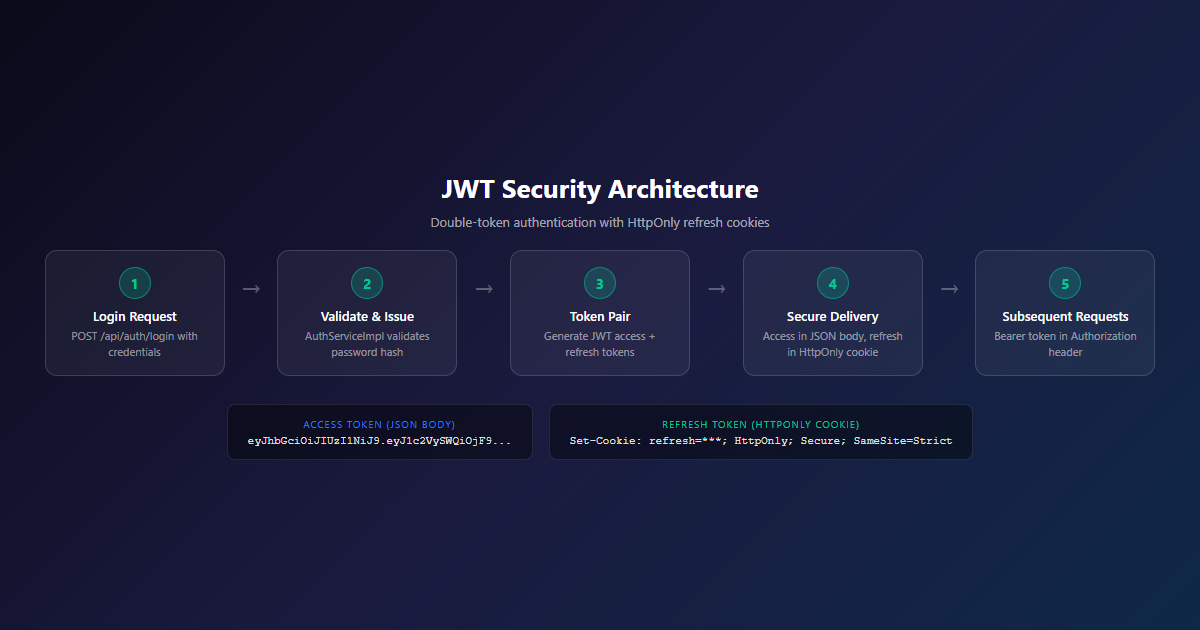
Authentication in a modern web app is notoriously hard to get right. Standard stateless setups send JWTs in local storage, opening the door wide for Cross-Site Scripting (XSS) attacks. We went down a different road, designing a Secure Double-Token Architecture built around HttpOnly cookies and short-lived access tokens.
The Double-Token Architecture
When a user registers or logs in — either via traditional password authentication or through Google OAuth2 — the backend issues two tokens:
| Token | Delivery | Lifetime | Purpose |
|---|---|---|---|
| Access Token (JWT) | JSON response body | Short-lived (15 min) | API authorization |
| Refresh Token | HttpOnly, Secure, SameSite=Strict cookie | Long-lived (7 days) | Token renewal |
The access token is delivered in the JSON payload so the frontend can store it in memory and attach it to API requests as a Bearer token. The refresh token is written to an encrypted HttpOnly, Secure, SameSite=Strict cookie — the frontend JavaScript can never access it directly. This architecture combines stateless authorization with robust security.
Security Lesson: Keep Tokens Scoped and Secure
By preventing the frontend Javascript from ever touching the refresh token, we isolated the session refresh cycle. Even if a rogue browser extension manages to infect the client-side environment, it cannot extract the cookie to hijack sessions offline. This is a baseline standard we enforce across all our identity platforms.
The AuthController: Full Authentication Surface
The AuthController exposes a complete authentication API at /api/v1/auth:
@RestController
@RequestMapping(“/api/v1/auth”)
@Tag(name = “Authentication”)
public class AuthController {
@PostMapping(“/register”)
public ResponseEntity<AuthResponseDto> register(
@Valid @RequestBody RegisterDto registerDto,
HttpServletResponse httpServletResponse) {
User registeredUser = authService.registerUser(
registerDto.getFirstName(), registerDto.getLastName(),
registerDto.getEmail(), registerDto.getPassword(),
RoleName.USER);
AuthDetails authDetails = authService.loginUser(
registeredUser.getEmail(), registerDto.getPassword(),
httpServletResponse);
return ResponseEntity.status(HttpStatus.CREATED)
.body(new AuthResponseDto(authDetails.getAccessToken(),
“Bearer”, accessTokenExpirationMs,
authDetails.getUser().getEmail(),
authDetails.getRoleNames()));
}
@PostMapping(“/login”)
public ResponseEntity<AuthResponseDto> login(
@Valid @RequestBody LoginDto loginDto,
HttpServletResponse httpServletResponse) {
AuthDetails authDetails = authService.loginUser(
loginDto.getEmail(), loginDto.getPassword(),
httpServletResponse);
return ResponseEntity.ok(new AuthResponseDto(
authDetails.getAccessToken(), “Bearer”,
accessTokenExpirationMs,
authDetails.getUser().getEmail(),
authDetails.getRoleNames()));
}
@PostMapping(“/refresh”)
public ResponseEntity<TokenRefreshResponseDto> refreshToken(
@CookieValue(name = “${app.security.refresh-cookie.name}”)
String refreshTokenFromCookie,
HttpServletResponse httpServletResponse) {
RefreshedTokenDetails refreshed = authService.refreshAccessToken(
refreshTokenFromCookie, httpServletResponse);
return ResponseEntity.ok(new TokenRefreshResponseDto(
refreshed.getNewAccessToken(), “Bearer”,
accessTokenExpirationMs));
}
@PostMapping(“/logout”)
public ResponseEntity<ApiResponseWrapper<String>> logout(
HttpServletResponse httpServletResponse) {
Object principal = SecurityContextHolder.getContext()
.getAuthentication().getPrincipal();
if (principal instanceof User user) {
authService.logoutUser(user.getId(), httpServletResponse);
} else {
authService.clearAuthCookies(httpServletResponse);
}
return ResponseEntity.ok(new ApiResponseWrapper<>(“Logout successful.”));
}
}
Notice the /refresh endpoint reads the refresh token from a cookie via @CookieValue. The browser sends this cookie automatically — the frontend JavaScript never sees the token value. The /logout endpoint invalidates the refresh token in the database and clears the cookie, ensuring the session is truly terminated.
The Registration Flow
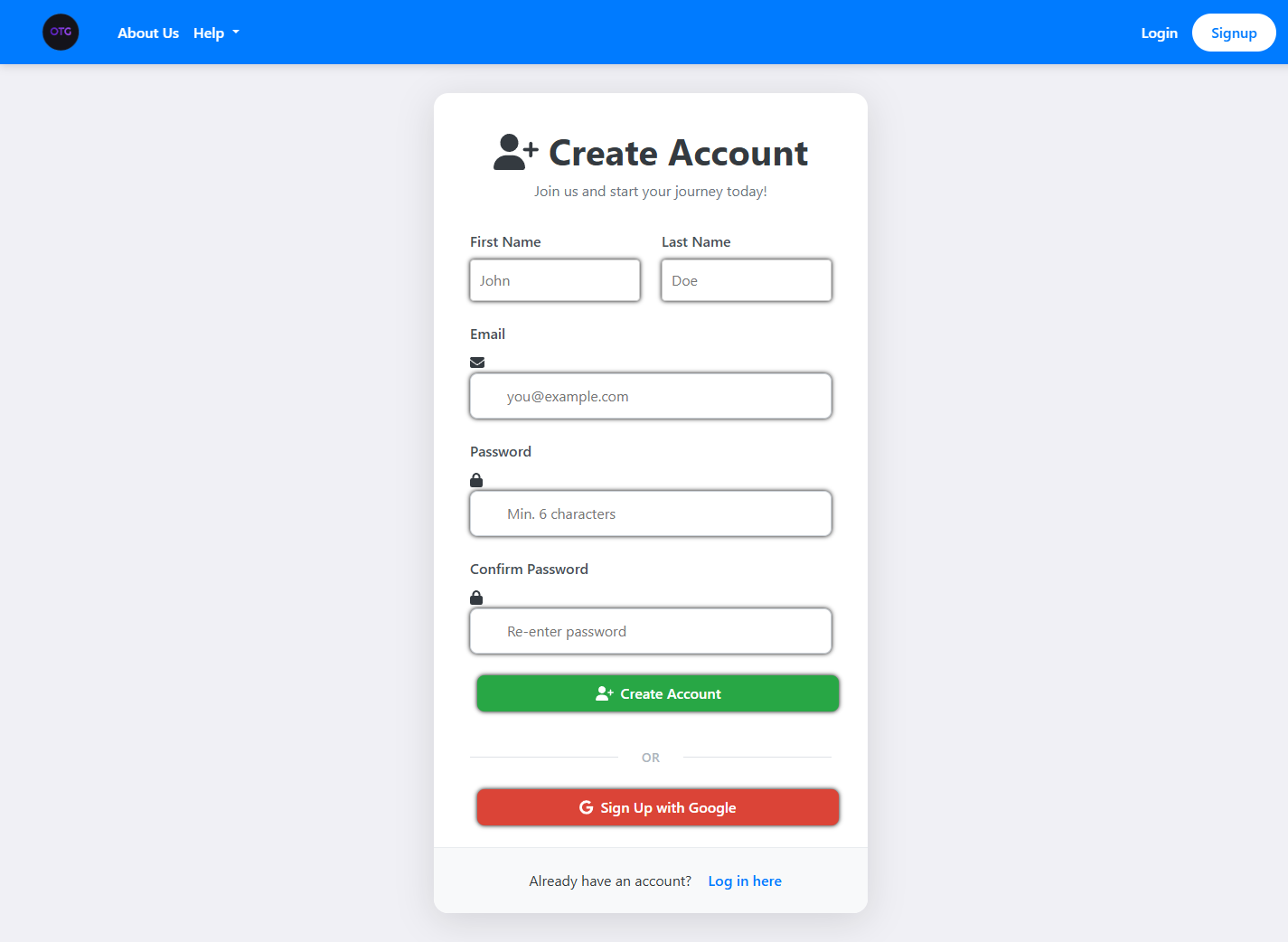
Registration is a two-step process compressed into one API call. The registerUser() method creates the User entity with the default USER role, then loginUser() immediately generates tokens and sets the refresh token cookie. The response includes the access token, email, and role names — everything the frontend needs to start making authenticated requests.
Password Reset Flow
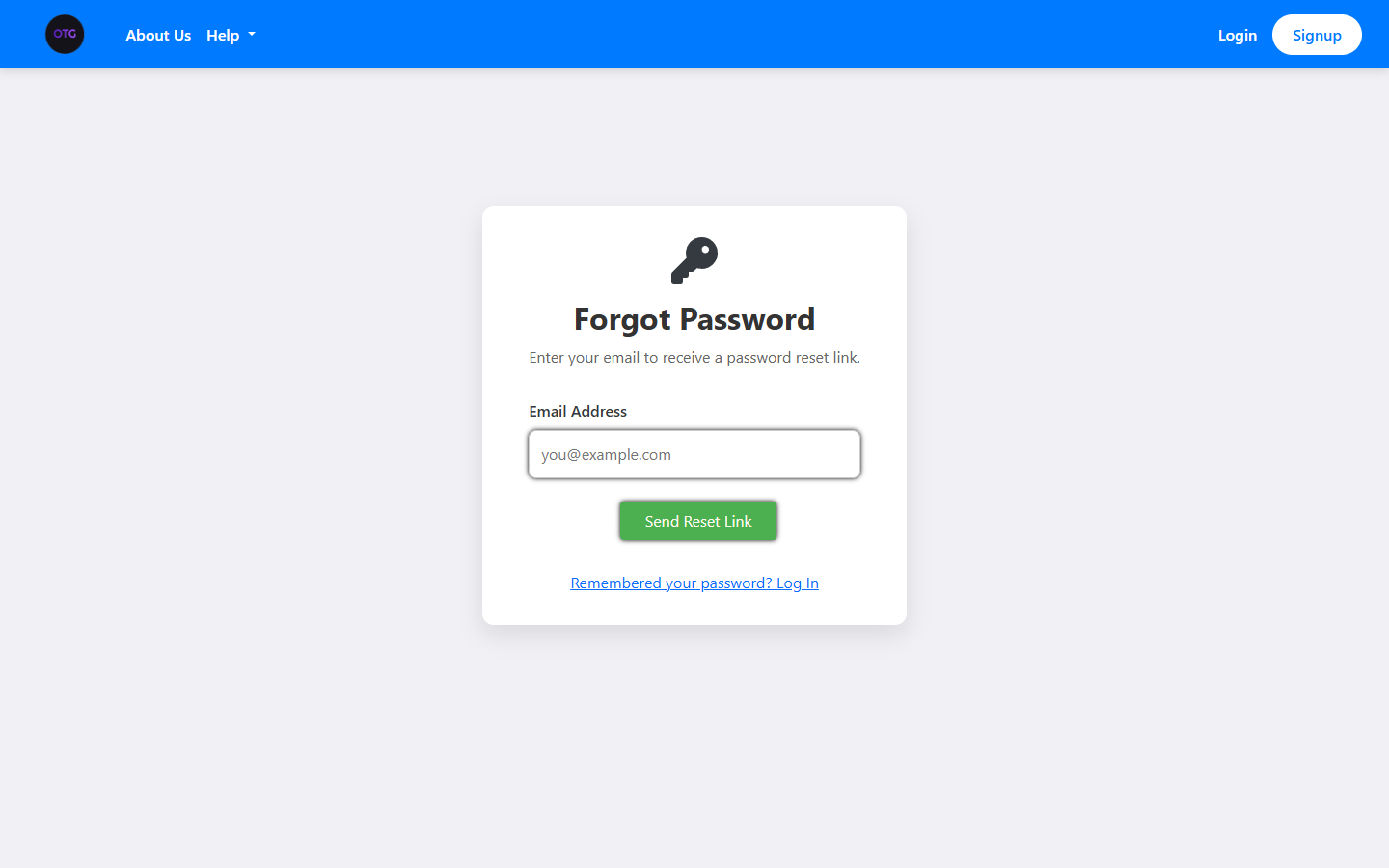
The system also includes a complete password reset flow via /forgot-password and /reset-password endpoints. The initiatePasswordReset() method generates a secure token, stores it with an expiry timestamp on the User entity, and sends it via email. The finalizePasswordReset() method validates the token and expiry before allowing the password change. Both endpoints always return 200 OK to prevent email enumeration attacks.
Google OAuth2 Integration
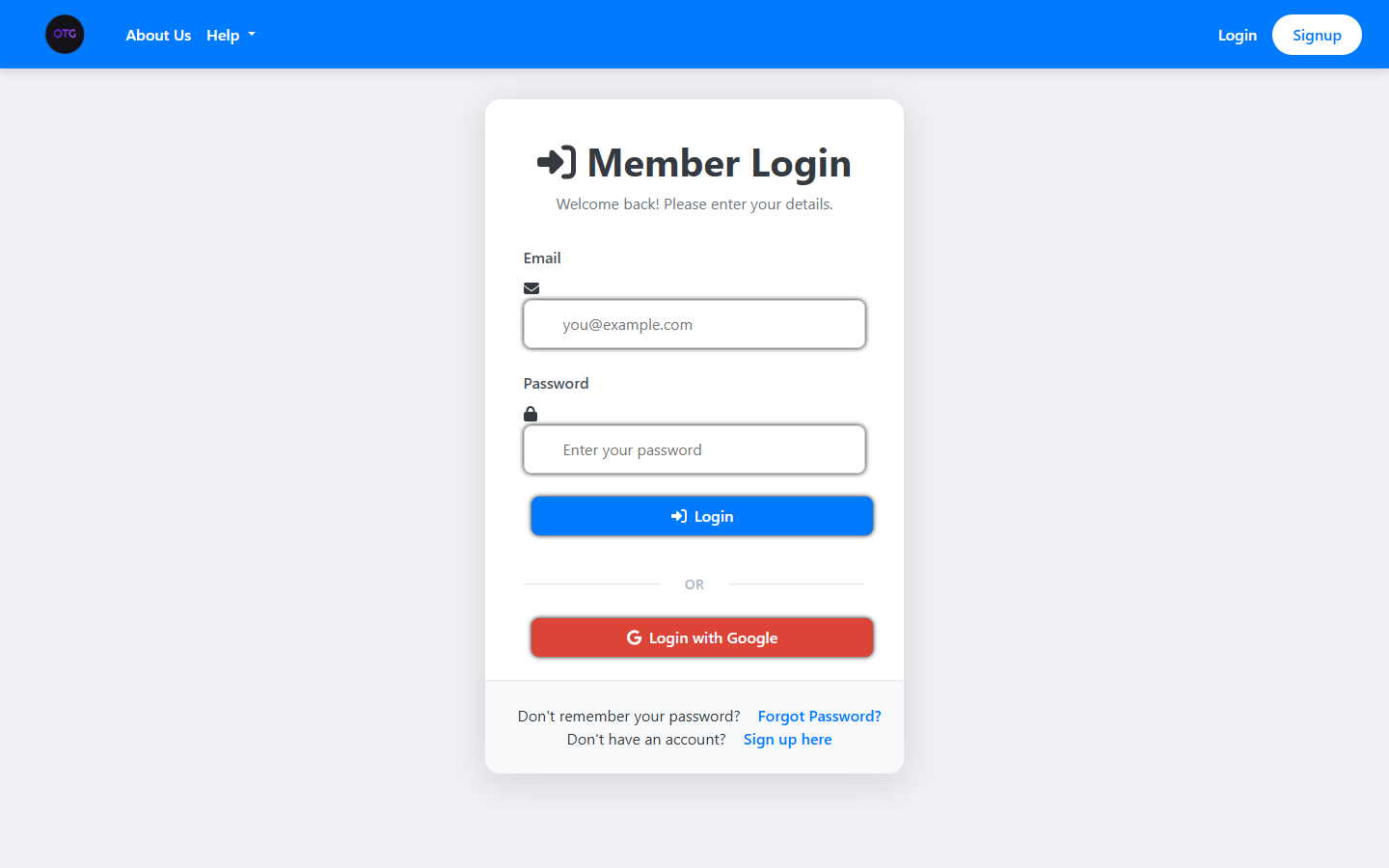
The Google OAuth2 flow is handled by OAuth2Controller and GoogleOAuth2UserService. When a user clicks “Login with Google,” the frontend redirects to Google’s authorization endpoint. Google redirects back with an authorization code, which the backend exchanges for user information.
The GoogleOAuth2UserService implements Spring Security’s OAuth2UserService interface. It checks if a User with the Google subject ID already exists. If not, it creates a new User with authProvider = GOOGLE and googleId set to the Google subject. If the user already exists (same email from a previous local registration), it links the Google identity to the existing account.
The login page — note the “Login with Google” button for OAuth2:
And the signup page with full registration form:
The forgot password page:
Role-Based Access Control
The system uses two roles: ROLE_USER and ROLE_ADMIN. The User.getAuthorities() method maps the user’s roles to Spring Security’s GrantedAuthority objects, which are then used in @PreAuthorize annotations and security filter chains.
The admin controllers (prefixed with Admin) are protected by role-based access checks. For example, the AdminBookingController allows admins to view all bookings, not just their own, while the regular BookingController restricts access to the booking owner.
The security architecture also includes a JwtAuthenticationFilter that extends OncePerRequestFilter. This filter intercepts every request, extracts the JWT from the Authorization header, validates it, and sets the SecurityContext. If the token is expired or invalid, the filter rejects the request before it reaches any controller.
Ready for Part 3?
In the final installment, we cover the infrastructure: MinIO object storage, the Prometheus + Grafana + Loki observability stack, Docker deployment, and the technical debt we identified along the way.

One thought on “OnTheGoRentals Part 2: Concurrency & Security — Building a Production-Ready Rental SaaS”
Comments are closed.