

Part 1 of our OnTheGoRentals dev diary. In this installment, we break down the modular monolithic architecture, the domain model with immutable entities, why we chose Builder patterns over mutable state, and how the Vue 3 frontend communicates with the Spring Boot API.
TL;DR
- Domain-driven foundations for a rental SaaS: bounded contexts, entities, and a booking engine that owns availability.
- Architecture before code — the decisions in this part constrained everything built after it.
- Spring Boot + PocketBase patterns proven across our production builds.
- Part 1 of 4: continues in Part 2: Concurrency & Security.
What You’ll Learn
Modular Monolith Architecture
Why we chose a clean monolithic blueprint over premature microservices.
Immutable Domain Entities
How Builder patterns enforce state integrity across booking lifecycle transitions.
Layered Spring Boot Architecture
Controllers, Services, Repositories — the standard Spring layout that scales.
Why We Built This
OnTheGoRentals started as an exploration of how far you can push a Spring Boot monolith before needing to split into microservices. We wanted to build a realistic domain — car rental has temporal availability, complex state machines, and concurrent access patterns — while creating something genuinely useful.
The result is a production-deployed platform that’s live and functional. It’s also a reusable template: the booking engine, authentication system, and admin dashboard can be adapted for bicycles, houses, tools, or any rentable asset with minimal changes. The car data you see in the screenshots is placeholder content, but the infrastructure is production-grade.
What makes this project interesting from an architecture standpoint is that it forced us to confront problems that simpler CRUD applications never surface: temporal overlap detection, immutable state transitions, dual-token JWT security, and a full observability stack baked into Docker from day one.
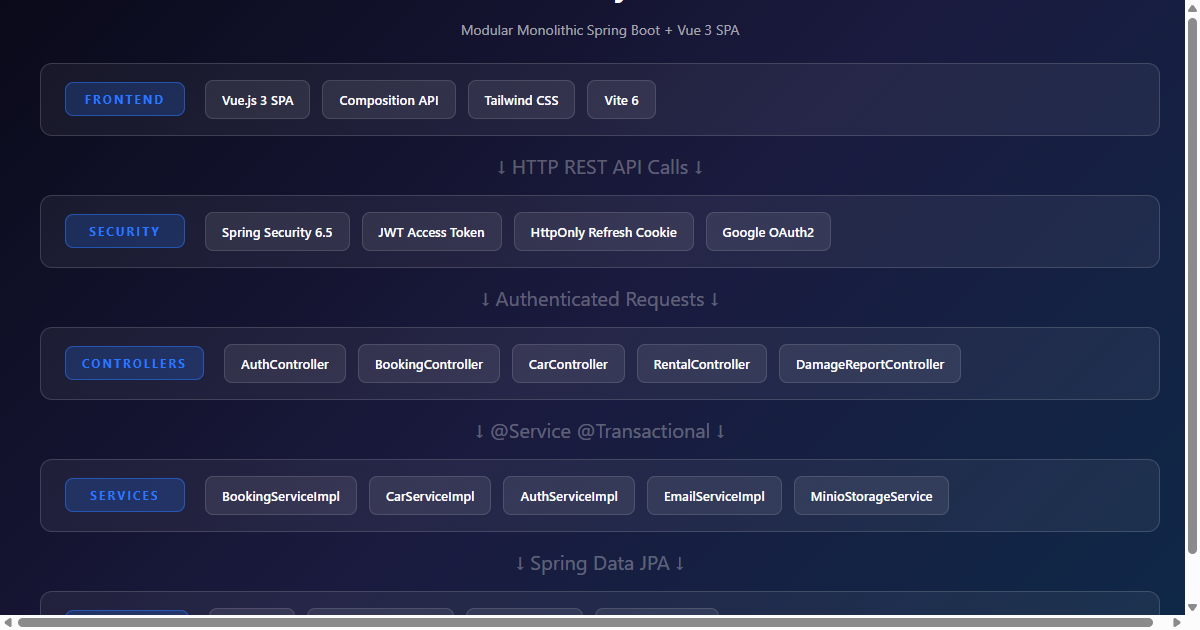
Architecture Selection: Why This Stack?
Our stack consists of Java 21, Spring Boot 3.5.0, and Spring Security 6.5.0 on the backend, with a highly responsive SPA built on Vue.js 3 (Composition API). The backend follows standard Spring Boot layered architecture: Controllers, Services, Repositories, JPA Entities.
| Layer | Technology | Key Files |
|---|---|---|
| REST Controllers | Spring MVC + Validation | BookingController, CarController, AuthController, RentalController, DamageReportController |
| Service Layer | Spring Service + Transactional | BookingServiceImpl, CarServiceImpl, AuthServiceImpl, RentalServiceImpl |
| Repository Layer | Spring Data JPA + JPQL | BookingRepository, CarRepository, UserRepository |
| Domain Entities | JPA + Lombok Builder | Booking, Car, User, Rental, DamageReport, Driver |
| Security | Spring Security 6.5 + JWT | JwtAuthenticationFilter, GoogleOAuth2UserService |
| Storage | MinIO + Local Fallback | MinioStorageService, LocalFileStorageService |
The API is versioned (/api/v1/) and follows RESTful conventions with proper HTTP status codes, DTOs for request/response mapping, and Swagger/OpenAPI documentation baked into every controller method. Every endpoint includes @Operation and @ApiResponses annotations so the API is self-documenting.
The Domain Model: Immutable Entities and Builder Patterns
The foundation of OnTheGoRentals is a carefully designed domain model where entities are immutable once created. Every Booking, Car, and User is built using the Builder pattern, ensuring that once an object enters the system, it cannot be accidentally mutated. This design choice forced us to think deeply about state transitions from the very beginning.
The Booking Entity
The Booking entity is the heart of the system. It tracks who rented what, when, and in what state the reservation currently sits:
@Entity
@Table(name = “booking”)
@Getter
@Builder(toBuilder = true)
@NoArgsConstructor
@AllArgsConstructor
public class Booking {
@Id
@GeneratedValue(strategy = GenerationType.IDENTITY)
private Integer id;
@Column(nullable = false)
private UUID uuid;
@ManyToOne(fetch = FetchType.LAZY)
@JoinColumn(name = “user_id”, nullable = false)
private User user;
@ManyToOne(fetch = FetchType.LAZY)
@JoinColumn(name = “car_id”, nullable = false)
private Car car;
@Column(nullable = false)
private LocalDateTime startDate;
@Column(nullable = false)
private LocalDateTime endDate;
@Enumerated(EnumType.STRING)
@Column(nullable = false)
private BookingStatus status;
@Column(nullable = false)
private BigDecimal totalCost;
@Column(nullable = false)
private boolean deleted;
}
The @Builder(toBuilder = true) annotation is critical. It allows us to create new instances from existing ones without mutation — essential for status transitions. When a booking moves from PENDING to CONFIRMED, we don’t modify the existing object; we build a new one with the updated status.
Notice the deleted field. We use soft deletes throughout the system. Instead of physically removing rows from the database, we set deleted = true and filter queries with WHERE deleted = false. This preserves audit trails and makes data recovery trivial.
The Car Entity: More Than Fields
The Car entity is more complex than Booking because it manages a collection of images through JPA’s @OneToMany relationship:
@Entity
@Getter
@NoArgsConstructor
public class Car {
@Id
@GeneratedValue(strategy = GenerationType.IDENTITY)
private int id;
@Column(nullable = false, unique = true, updatable = false)
private UUID uuid;
private String make;
private String model;
private int year;
private String category;
@Enumerated(EnumType.STRING)
private PriceGroup priceGroup;
private String licensePlate;
@Size(min = 11, max = 17)
private String vin;
private boolean available = true;
private boolean deleted = false;
@OneToMany(mappedBy = “car”, cascade = CascadeType.ALL,
orphanRemoval = true, fetch = FetchType.EAGER)
private List<CarImage> images = new ArrayList<>();
}
The tricky part here is the orphanRemoval = true setting. When we update a car’s images, we can’t just replace the list — JPA would throw a “collection was no longer referenced” error. Instead, the Builder’s applyTo() method clears the managed list and re-populates it:
public Car applyTo(Car car) {
car.setMake(this.make);
car.setModel(this.model);
car.setYear(this.year);
// … other fields
if (car.getImages() != null) {
car.getImages().clear();
if (this.images != null) {
car.getImages().addAll(this.images);
}
}
return car;
}
This pattern — clear then add-all — is the standard way to handle orphanRemoval collections in JPA without triggering the reference error. It’s one of those things that seems simple but causes hours of debugging if you get it wrong.
The User Entity: Spring Security Integration
The User entity implements Spring Security’s UserDetails interface, which means it directly integrates with the authentication framework:
@Entity
@Getter @Setter
@Builder(toBuilder = true)
public class User implements Serializable, UserDetails {
Integer id;
UUID uuid;
String firstName, lastName, email, password;
@ManyToMany(fetch = FetchType.EAGER, cascade = CascadeType.MERGE)
List<Role> roles;
String googleId;
@Enumerated(EnumType.STRING)
AuthProvider authProvider; // LOCAL or GOOGLE
String profileImageFileName;
String passwordResetToken;
LocalDateTime passwordResetTokenExpiry;
boolean deleted = false;
@Override
public Collection<? extends GrantedAuthority> getAuthorities() {
return this.roles.stream()
.map(role -> new SimpleGrantedAuthority(role.getRoleName()))
.collect(Collectors.toList());
}
@Override
public String getUsername() { return this.email; }
}
The key design decision here is the authProvider field. Users can register via email/password (LOCAL) or through Google OAuth2 (GOOGLE). The googleId field links the OAuth2 identity to the local user record. When a Google user first logs in, the GoogleOAuth2UserService creates a new User entity with authProvider = GOOGLE and stores the Google subject ID.
The roles relationship uses FetchType.EAGER because roles are needed on every authenticated request for authorization checks. The @ManyToMany(cascade = CascadeType.MERGE) ensures that when a user is saved, existing role associations aren’t duplicated.
The Booking Status Lifecycle
Bookings flow through a defined state machine:
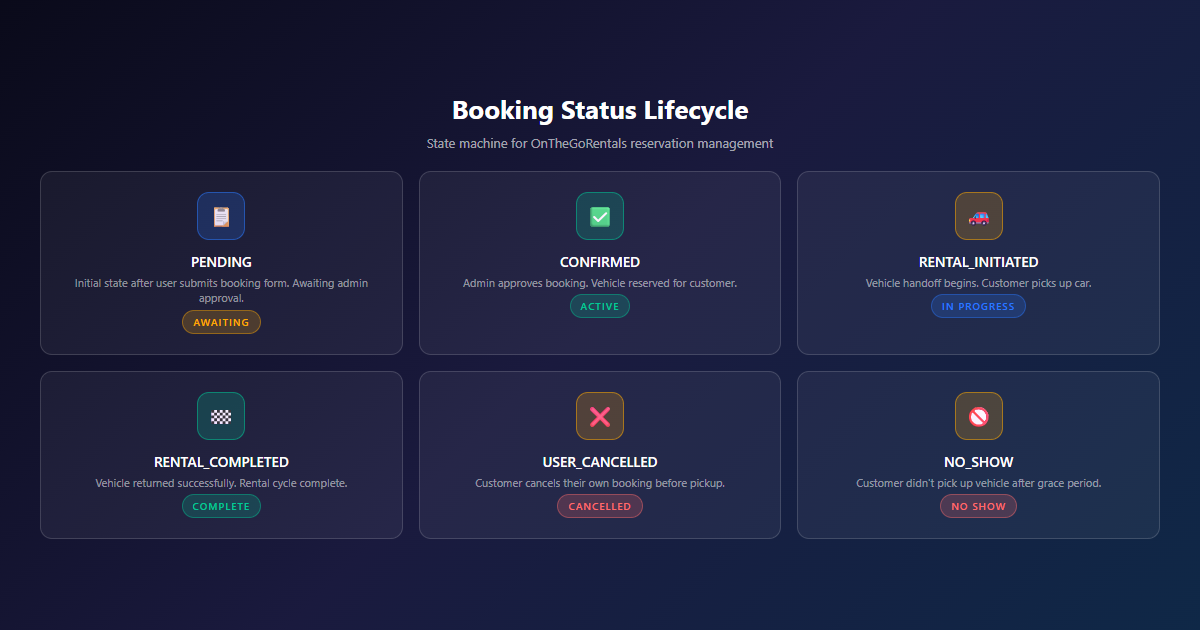
This lifecycle is enforced in BookingServiceImpl, where each status transition is validated before execution. You can’t jump from PENDING to RENTAL_COMPLETED — you must go through CONFIRMED and RENTAL_INITIATED first. The confirmBooking() method checks that the current status isn’t USER_CANCELLED, ADMIN_CANCELLED, RENTAL_INITIATED, or NO_SHOW before allowing the transition:
@Transactional
public Booking confirmBooking(int bookingId) {
Booking booking = read(bookingId);
if (booking.getStatus() == BookingStatus.USER_CANCELLED ||
booking.getStatus() == BookingStatus.ADMIN_CANCELLED ||
booking.getStatus() == BookingStatus.RENTAL_INITIATED ||
booking.getStatus() == BookingStatus.NO_SHOW) {
throw new IllegalStateException(
“Booking cannot be confirmed from status: ” + booking.getStatus());
}
Booking updated = new Booking.Builder()
.copy(booking)
.setStatus(BookingStatus.CONFIRMED)
.build();
return bookingRepository.save(updated);
}
The copy() method on the Builder is what makes immutability work in practice. We start with a copy of the existing booking, change only the status field, and build a new instance. The original booking object remains unchanged — this is essential for thread safety in concurrent environments.
The REST API: Controllers, DTOs, and Validation
The API layer follows a clean separation of concerns. Controllers handle HTTP concerns (request parsing, response formatting, status codes), Services handle business logic, and DTOs isolate the internal domain model from the public API surface.
BookingController: The Full CRUD Surface
The BookingController exposes a complete REST API for booking management:
| Method | Endpoint | Description | Status |
|---|---|---|---|
| POST | /api/v1/bookings |
Create a new booking | 201 |
| GET | /api/v1/bookings/{uuid} |
Get booking by UUID | 200 |
| GET | /api/v1/bookings/my-bookings |
Get current user’s bookings | 200/204 |
| PUT | /api/v1/bookings/{uuid} |
Update booking dates/car | 200 |
| POST | /api/v1/bookings/{uuid}/confirm |
Confirm a booking | 200 |
| POST | /api/v1/bookings/{uuid}/cancel |
Cancel a booking | 200 |
Every endpoint extracts the current user from the Spring Security context via SecurityUtils.getRequesterIdentifier(), which returns the authenticated user’s email. This means users can only access their own bookings — the controller checks booking.getUser().getEmail().equals(requesterId) before returning data.
The BookingRequestDTO and BookingUpdateDTO classes use Jakarta Validation annotations (@Valid) to enforce input constraints at the controller level. Invalid requests are rejected before they ever reach the service layer.
CarController: Date-Aware Availability
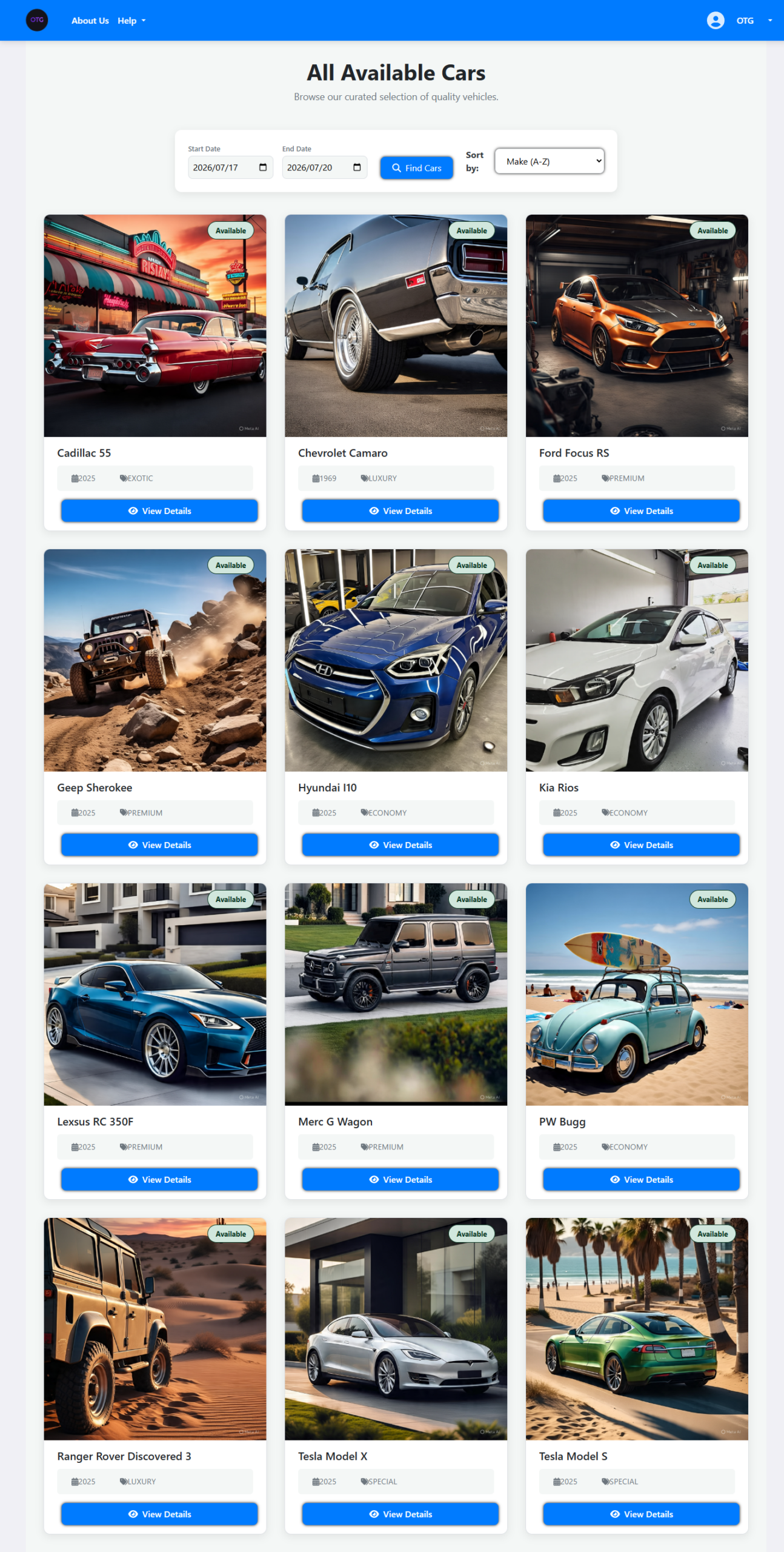
The CarController goes beyond simple CRUD. Its /available endpoint supports date-range queries that check for booking conflicts in real-time:
@GetMapping(“/available”)
public ResponseEntity<List<CarResponseDTO>> getAvailableCars(
@RequestParam(required = false) LocalDate startDate,
@RequestParam(required = false) LocalDate endDate,
@RequestParam(required = false) String category,
@RequestParam(required = false) PriceGroup priceGroup) {
if (startDate != null && endDate != null) {
// Advanced: check for booking conflicts in the date range
if (category != null) {
availableCars = carService.findAllAvailableByCategory(
category, startDate, endDate);
} else if (priceGroup != null) {
availableCars = carService.getAvailableCarsByPrice(
priceGroup, startDate, endDate);
} else {
availableCars = carService.findAvailableCarsByDateRange(
startDate, endDate);
}
} else {
// Simple: return all generally available cars
availableCars = carService.getAllAvailableCars();
}
}
This means the frontend can show “Available for your dates” without making separate API calls. The date filtering happens at the repository level using the same JPQL overlap query we’ll discuss in Part 2.
The Vue 3 Frontend: Composition API in Practice
The frontend is a Vue 3 Single Page Application using the Composition API. It’s organized into two main areas: Main (customer-facing) and Admin (back-office).
Component Architecture
The frontend has over 80 Vue components, organized by domain:
| Directory | Purpose | Key Components |
|---|---|---|
Main/Car/ |
Customer car browsing | CarList.vue, CarDetail.vue |
Main/User/ |
Authentication & profiles | Login.vue, Signup.vue, UserProfile.vue, MyBookings.vue |
Main/Rental/ |
Booking & rental flow | Booking.vue, Rental.vue, ReturnRental.vue |
Admin/ |
Back-office management | AdminDash.vue, AdminSidebar.vue, AdminPage.vue |
Admin/Car/ |
Car CRUD | CarManagment.vue, CreateCar.vue, UpdateCar.vue |
Admin/Booking/ |
Booking management | BookingManagement.vue, ViewBooking.vue |
Admin/Rental/ |
Rental processing | RentalManagement.vue, ProcessReturn.vue |
Admin/DamageReport/ |
Damage tracking | DamageReportManagement.vue, CreateDamageReport.vue |
The AdminSidebar.vue provides navigation across all admin sections: Dashboard, Staff Daily Operations, Cars, Bookings, Rentals, Users, Drivers, Damage Reports, FAQ, Help Center, File Management, and Settings. Each admin section has its own management component with full CRUD operations.
State Management and API Communication
The frontend communicates with the Spring Boot backend through a centralized API layer. Authentication tokens are managed via HttpOnly cookies (refresh token) and in-memory storage (access token). The OAuth2RedirectHandler.vue component handles the Google OAuth2 callback, extracting the access token from the redirect URL and storing it for subsequent API calls.
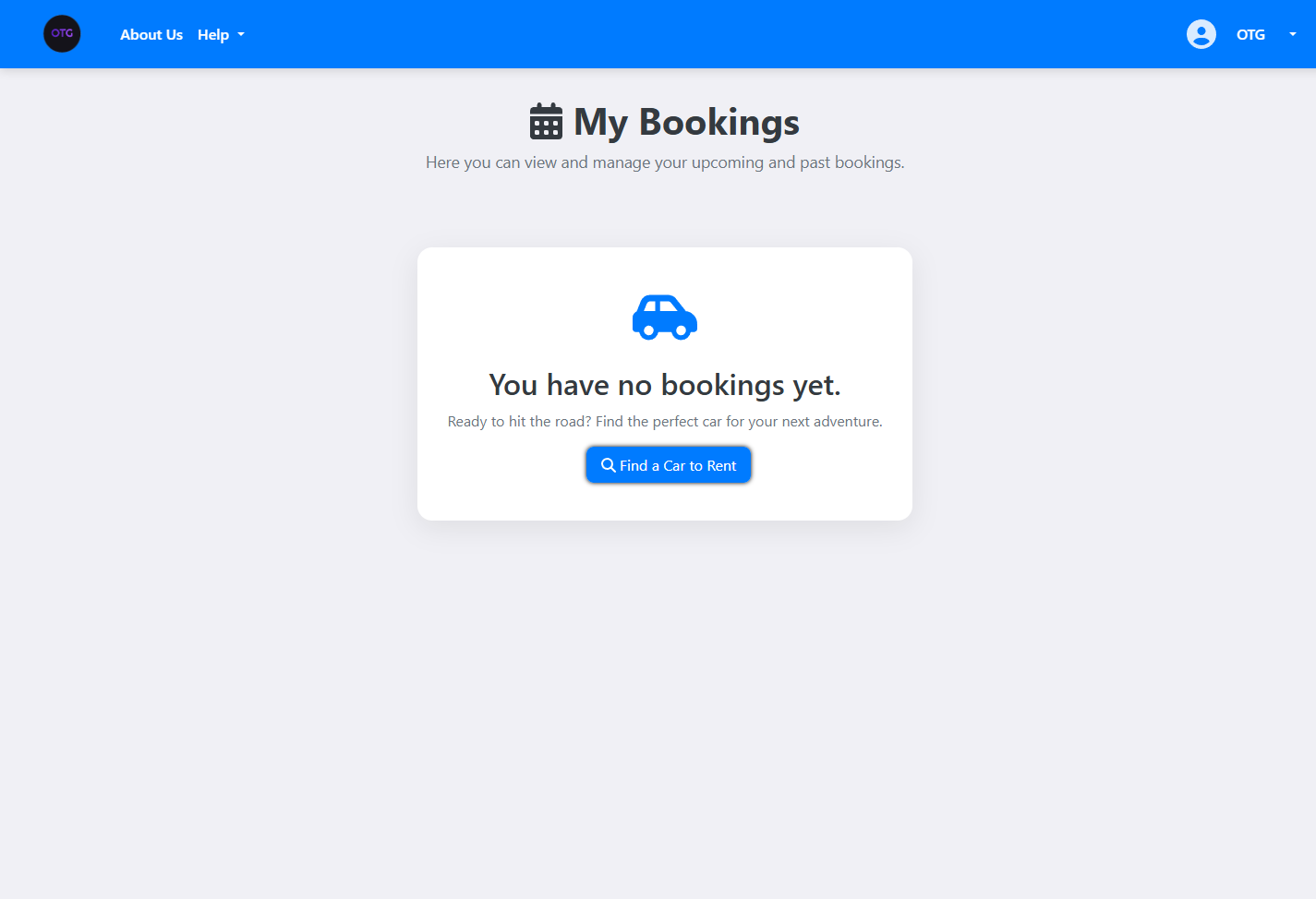
The MyBookings.vue component demonstrates the typical data flow: it calls /api/v1/bookings/my-bookings, receives a list of BookingResponseDTO objects, and renders them with status badges, date ranges, and action buttons (confirm, cancel, update). The component uses Vue 3’s ref() and onMounted() lifecycle hooks for reactive data loading.
The Live Interface
Here’s the live homepage — clean, focused, and ready for customers:
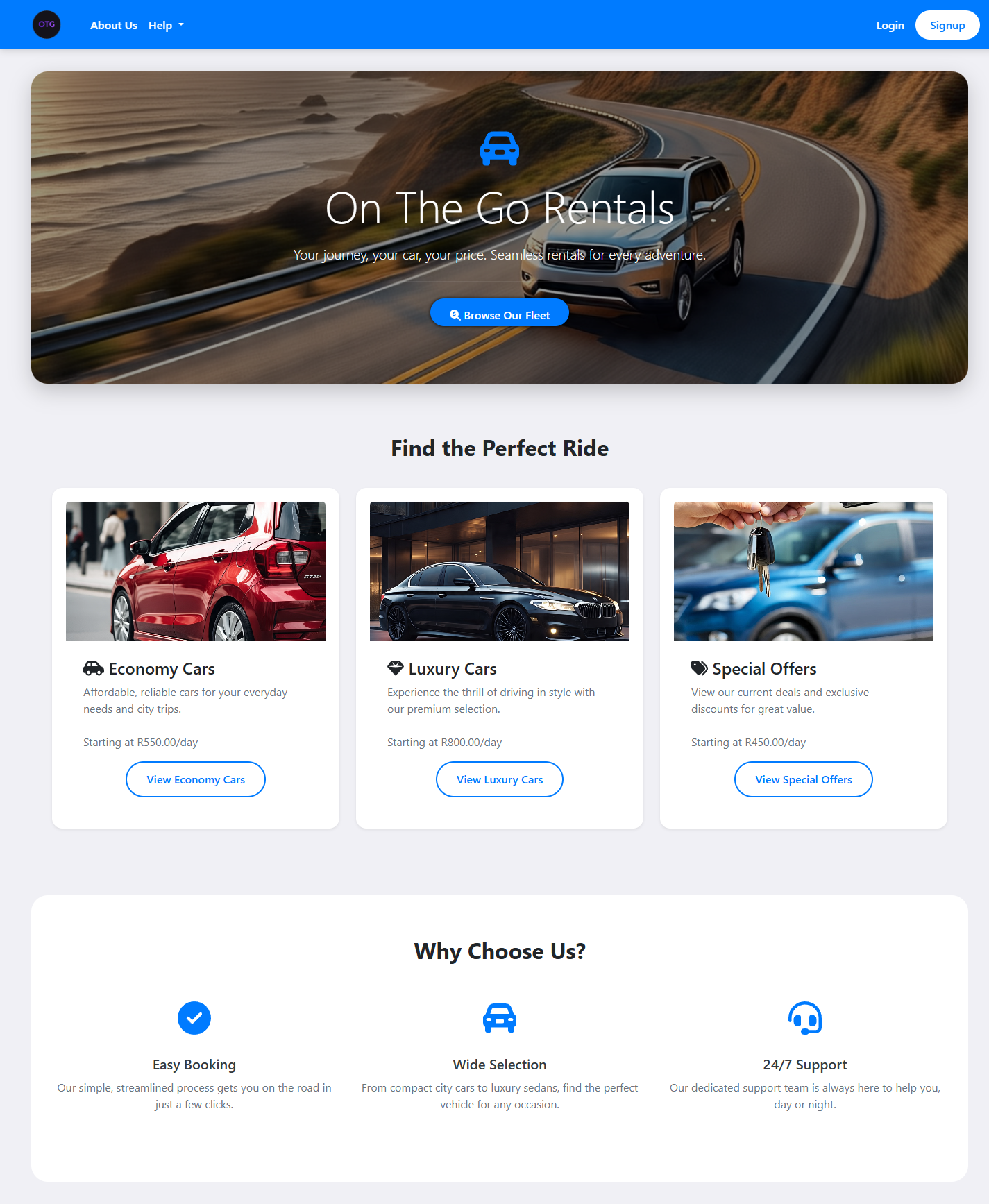
The homepage uses a category-based layout: Economy Cars starting at R550/day, Luxury Cars at R800/day, and Special Offers at R450/day. Each category links to a filtered car listing page.
The car listing page showing the fleet with search, filtering, and date-based availability:
And the car detail page with image carousel, specifications, and booking form:
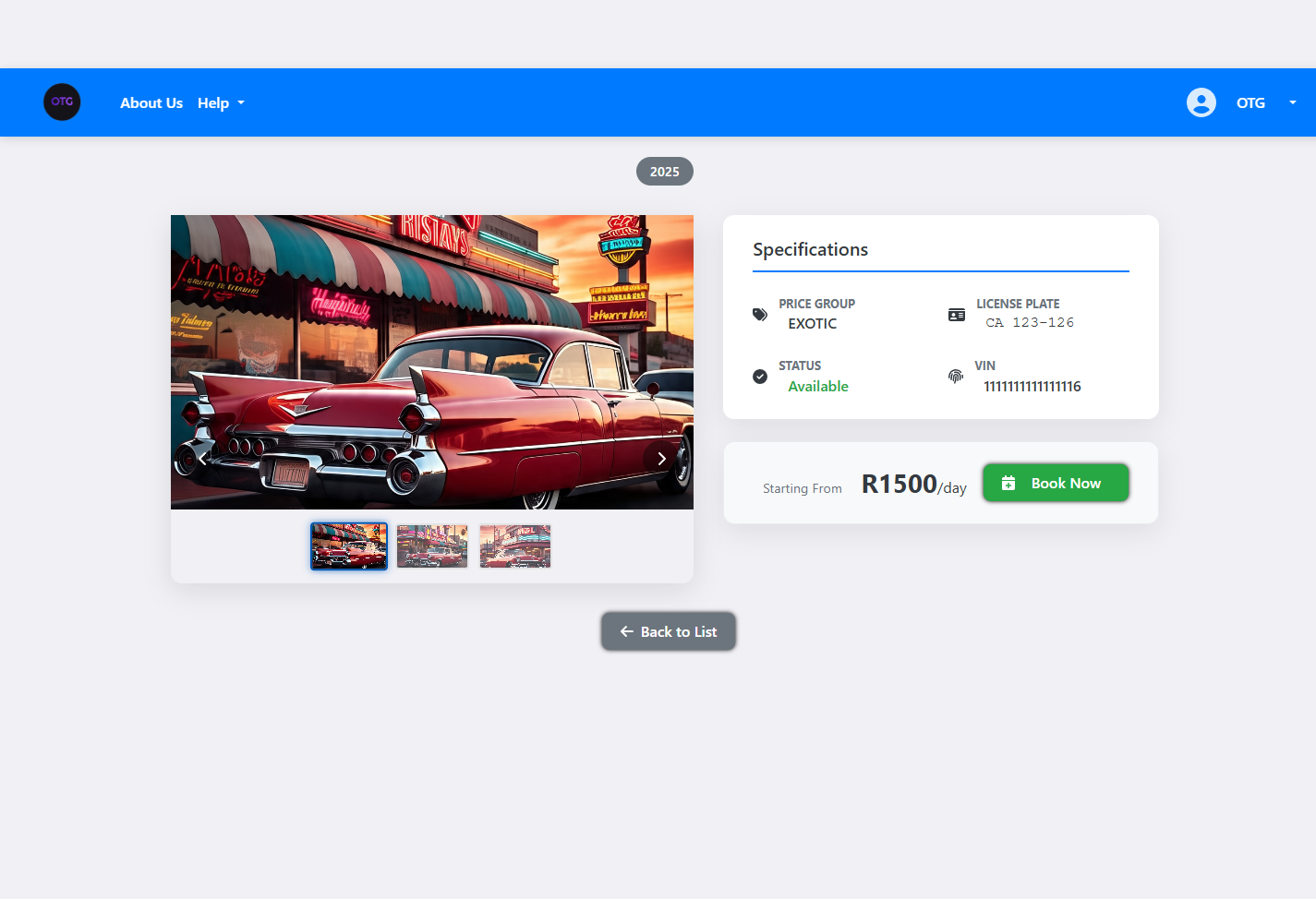
The car detail page shows the full specification: make, model, year, category, price group, daily rate, transmission type, and fuel type. The image carousel pulls from the MinIO storage bucket via pre-signed URLs generated by the FileStorageService.
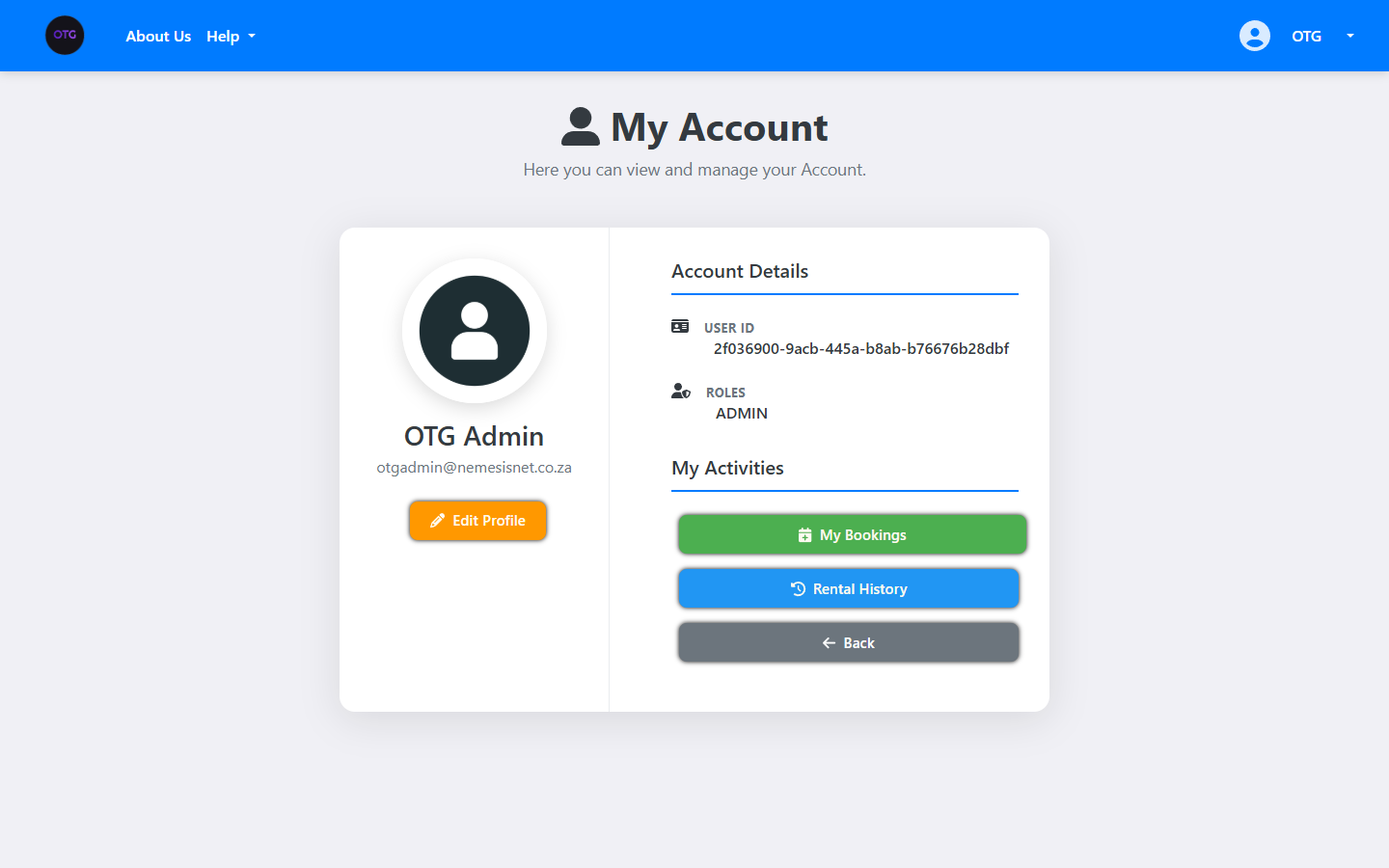
The user profile page showing account details and rental history:
And the “My Bookings” page where users track their reservations:
The rental history page showing completed rentals:
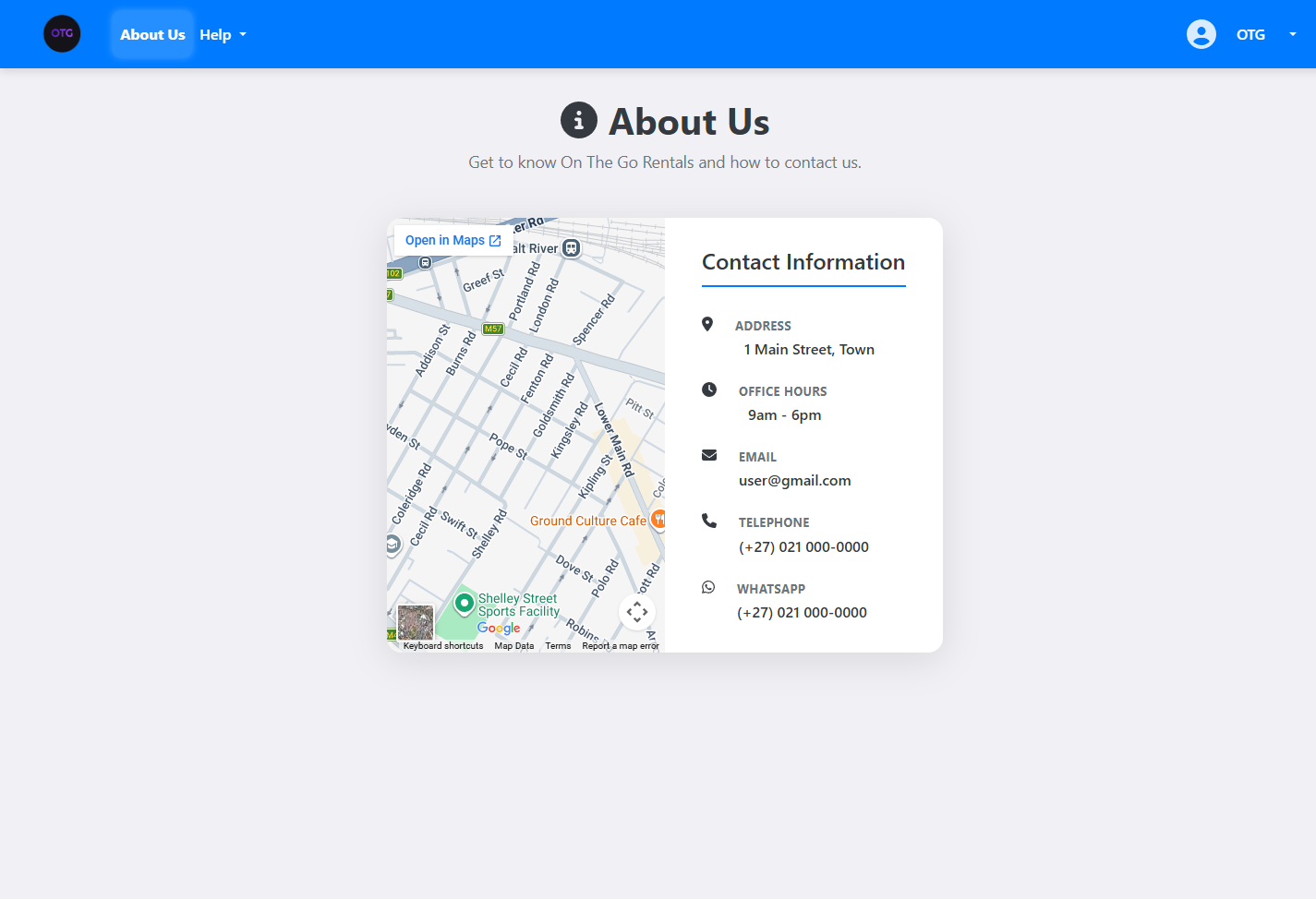
The About Us page:
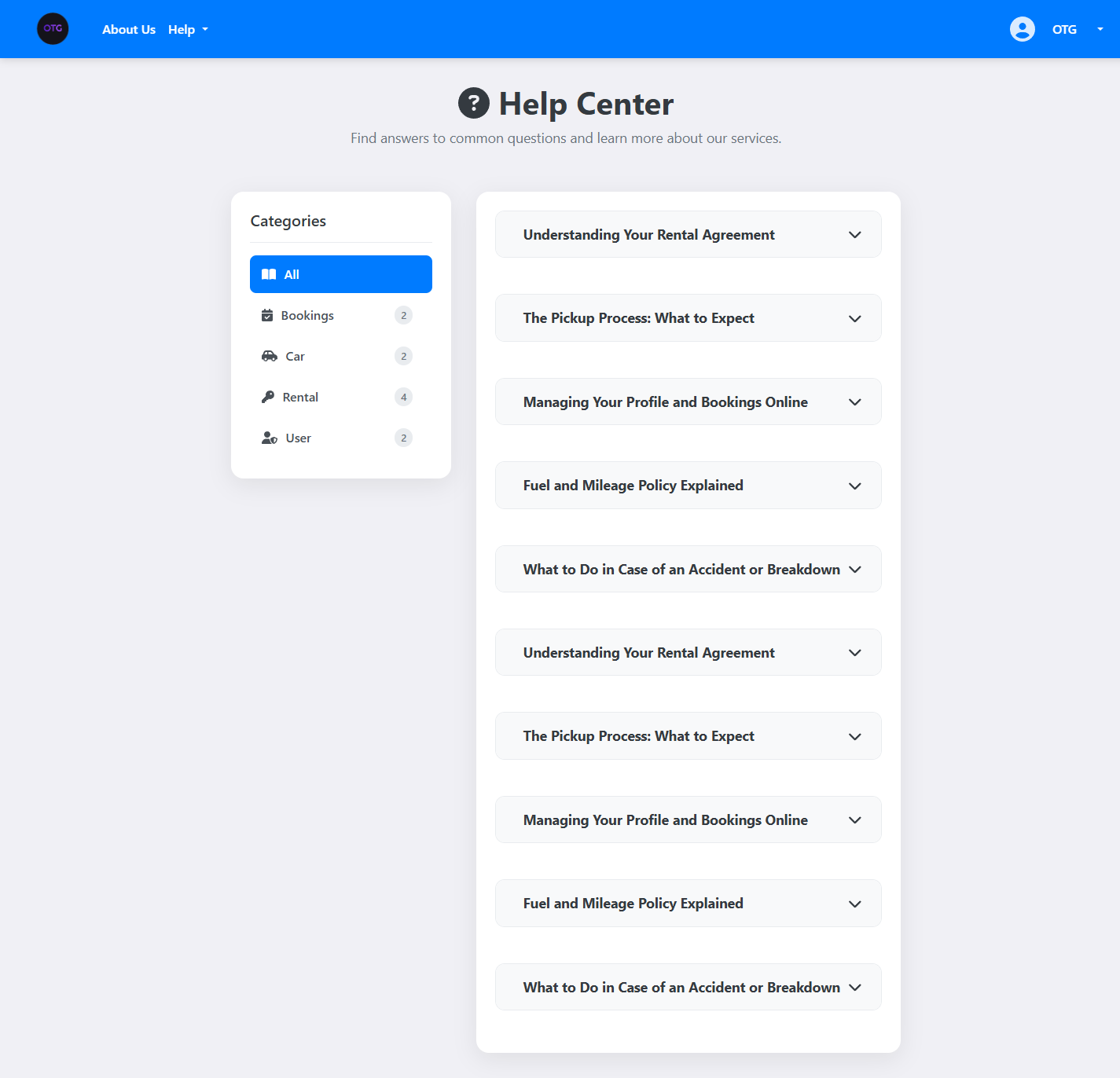
Help Center for customer support:
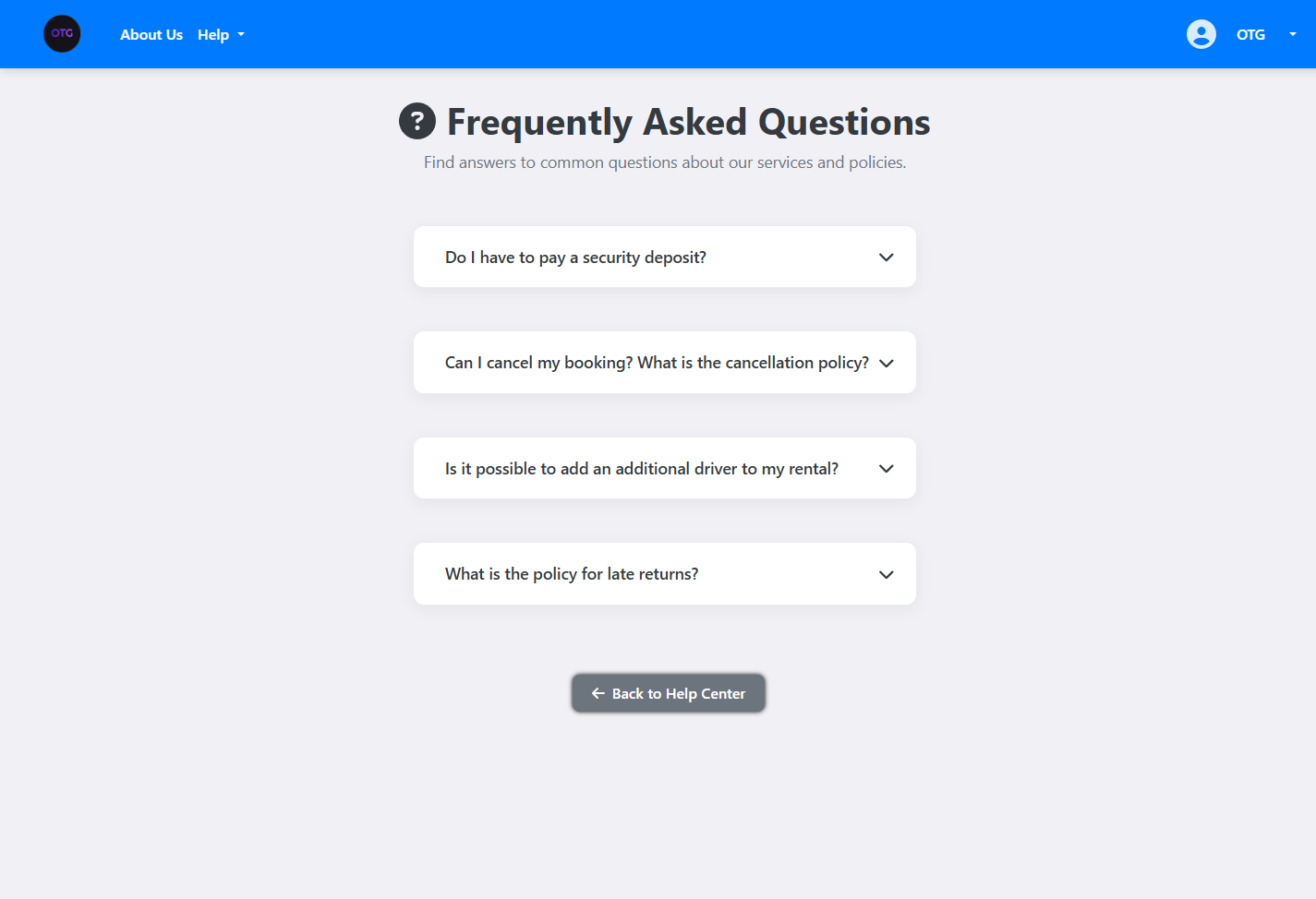
FAQ page with common questions:
Ready for Part 2?
In the next installment, we tackle the hardest problem in rental systems: preventing double-bookings with JPQL interval queries, and building a secure JWT authentication architecture with Google OAuth2 integration.

One thought on “OnTheGoRentals Part 1: Architecture & Domain Design — Building a Production-Ready Rental SaaS”
Comments are closed.