

Part 3 of our OnTheGoRentals dev diary. We cover the infrastructure: MinIO object storage with a storage facade pattern, the Prometheus + Grafana + Loki observability stack, Docker deployment, the admin interface, and the technical debt we identified along the way.
TL;DR
- Object storage with MinIO: S3-compatible car images and documents, self-hosted.
- Observability that earns its keep: Prometheus metrics, Grafana dashboards, Loki log aggregation.
- Docker deployment end to end — build once, roll anywhere, with the debt log we left for v2.
- Part 3 of 4: start at the overview if you are new here.
What You’ll Learn
MinIO Object Storage
S3-compatible storage for car images with local fallback and cloud migration path.
Observability Stack
Prometheus metrics, Loki log aggregation, and Grafana dashboards for production monitoring.
Docker Deployment
Full containerized stack with health checks and dependency ordering.
Object Storage: MinIO for Car Images
Car images are the first thing customers see. We needed reliable, scalable storage that wouldn’t lock us into a single cloud provider. MinIO (S3-compatible object storage) was the perfect choice — it runs on-premise, integrates seamlessly with Spring Boot, and can migrate to AWS S3 or Digital Spaces with zero code changes.
The Storage Facade Pattern
The system uses a StorageManagementServiceImpl facade that routes between MinioStorageService and LocalFileStorageService based on configuration. This means development environments can use local file storage while production uses MinIO — no code changes required.
@Service
public class StorageManagementServiceImpl implements IStorageManagementService {
private final IFileStorageService activeStorageService;
@Autowired
public StorageManagementServiceImpl(
MinioStorageService minioStorageService,
LocalFileStorageService localFileStorageService,
@Value(“${app.storage.type:local}”) String storageType) {
if (“minio”.equalsIgnoreCase(storageType)) {
this.activeStorageService = minioStorageService;
} else {
this.activeStorageService = localFileStorageService;
}
}
}
The MinioStorageService implements the same IFileStorageService interface as the local storage service. Both provide storeFile(), getFileUrl(), and deleteFile() methods. The facade simply delegates to whichever implementation is configured. Switching from MinIO to AWS S3 means writing a new implementation of the interface and updating the configuration — the controllers and services never change.
Pre-signed URLs are generated for image access. Instead of serving images through the backend (which would waste bandwidth), the frontend gets a time-limited URL that points directly to MinIO. This is how the image carousel on the car detail page loads images without hitting the Spring Boot server.
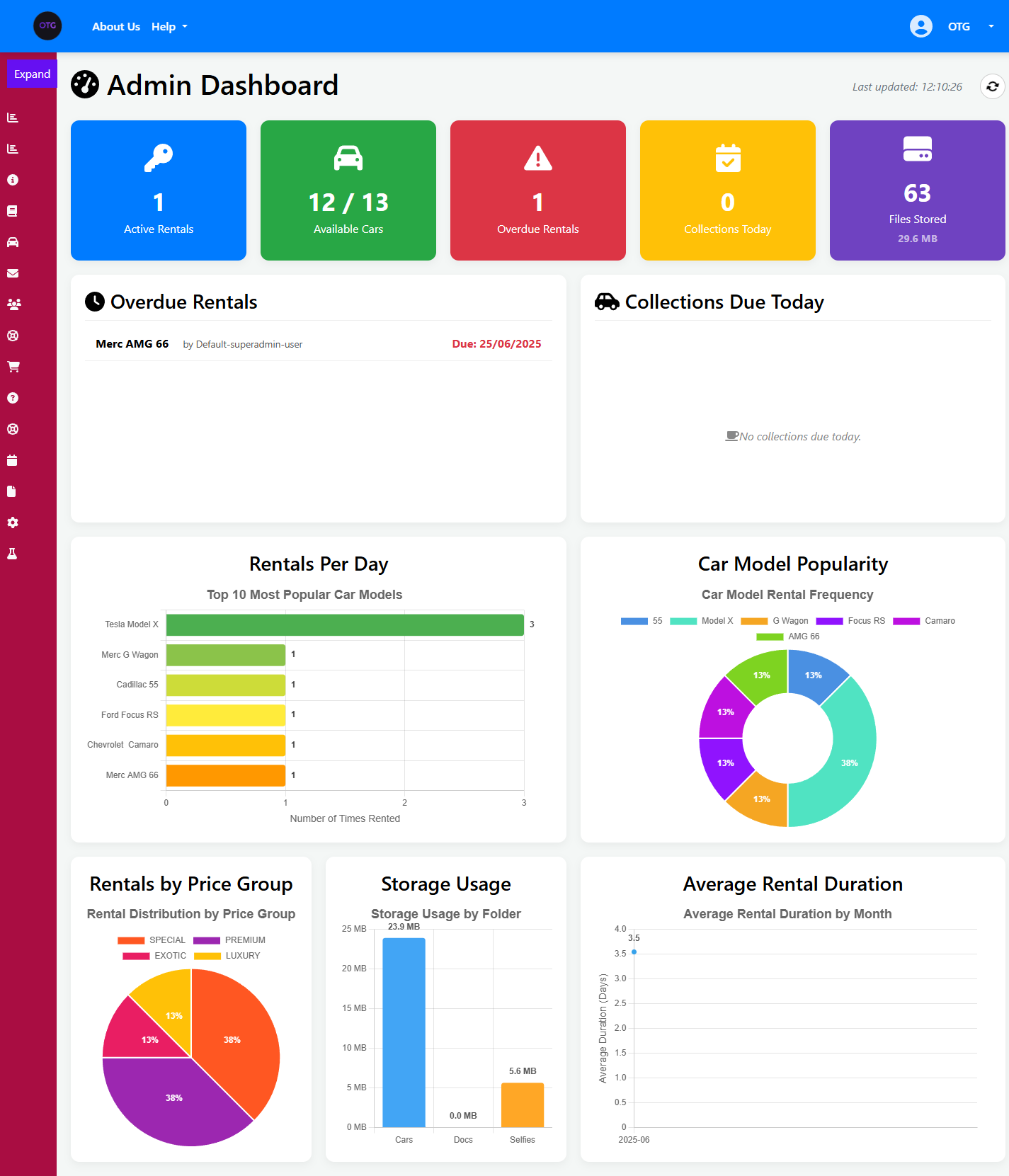
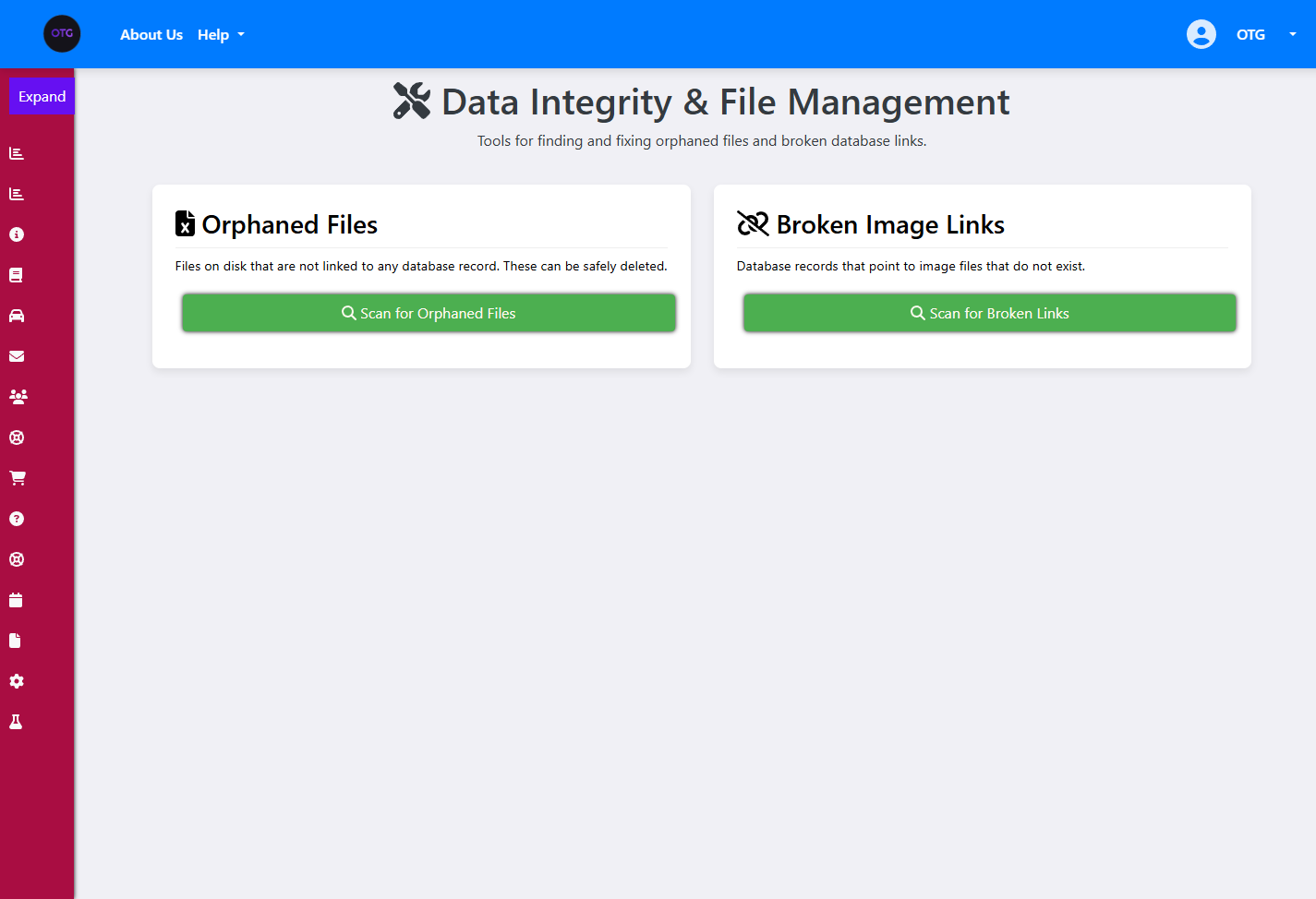
The admin dashboard shows real-time storage metrics: 63 files stored, 29.6 MB total. The Storage Usage chart breaks down usage by folder (Cars, Docs, Selfies), giving operators instant visibility into storage consumption. The File Management page provides a complete interface for uploading, listing, and deleting files — each operation routes through the storage facade.
The Rental Lifecycle: From Booking to Return
The rental lifecycle is a critical workflow that connects the booking system to the physical car handoff. When a customer arrives to collect their car, the admin converts their confirmed booking into an active rental.
Booking → Rental Conversion
The RentalController.createRentalFromBooking() endpoint handles this conversion. It takes a confirmed booking UUID and creates a new Rental entity, linking it to the same User and Car. The booking status transitions to RENTAL_INITIATED, and the car’s availability status changes to RENTED_OUT.
The Rental entity tracks additional information that a Booking doesn’t need: the actual pickup time, expected return date, assigned driver, and any fines applied at return. The completeRentalByUuid() method handles the return process — it marks the rental as COMPLETED, applies any fines, and sets the car back to AVAILABLE.
The admin can also process direct walk-in rentals without a prior booking via RentalController.createRental(). This is useful for customers who show up at the counter without an online reservation.
Damage Reporting
When a car is returned with damage, staff create a DamageReport via the DamageReportController. Each report is linked to a specific Rental and includes the damage severity (MINOR, MODERATE, SEVERE), description, and any associated fines. The admin dashboard’s Damage Report section tracks all reports across the fleet.
Observability Stack: Engineering with Eyes Open
You can’t manage what you don’t measure. For OnTheGoRentals, we built a production-grade monitoring stack directly into our Docker layout.
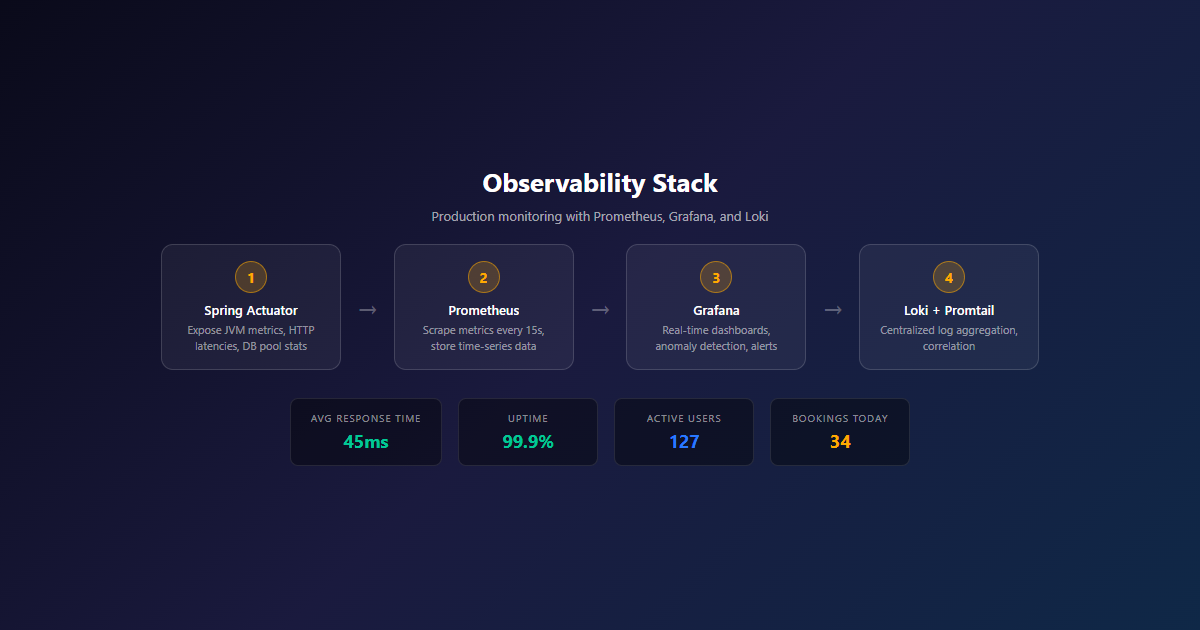
The system uses Prometheus to scrape custom Actuator metrics, Loki with Promtail for centralized log collection, and Grafana for visual dashboards.
What We Monitor
| Component | Tool | Metrics |
|---|---|---|
| Application Metrics | Prometheus + Actuator | Request latency, error rates, JVM memory, thread pools |
| Log Aggregation | Loki + Promtail | Application logs, error traces, audit trails |
| Visualization | Grafana | Custom dashboards, alerts, trend analysis |
| Infrastructure | Docker Stats | CPU, memory, network I/O per container |
Prometheus Configuration
Prometheus scrapes the Spring Boot Actuator /actuator/prometheus endpoint at 15-second intervals. This exposes JVM metrics (heap usage, GC pauses, thread counts), HTTP request metrics (latency histograms, status code counters), and custom business metrics we defined (bookings created per minute, active rentals count).
The application.yml enables the Prometheus and health Actuator endpoints:
management:
endpoints:
web:
exposure:
include: health,info,prometheus,metrics
endpoint:
health:
show-details: always
metrics:
export:
prometheus:
enabled: true
Loki + Promtail: Centralized Logging
Promtail runs as a sidecar container, reading Docker container logs and shipping them to Loki. Each log entry is tagged with container name, labels, and timestamp. This means you can query logs across all containers from a single Grafana interface — no more SSH-ing into individual containers to tail -f logs.
The admin dashboard provides real-time operational visibility. Here’s the Daily Operations page with Collections, Returns, and Overdue tabs:
And the Damage Reports page showing all reported damage across the fleet:
Docker Deployment: From Dev to Production
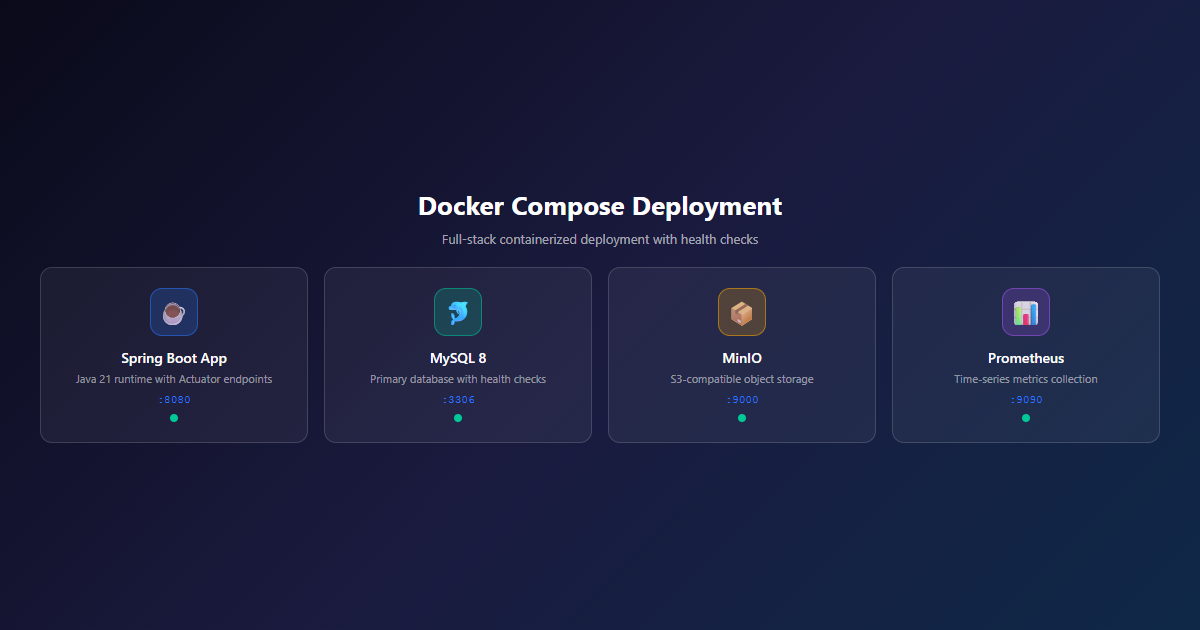
OnTheGoRentals is fully containerized. The Docker Compose setup includes the Spring Boot application, MySQL database, MinIO object storage, Prometheus, Grafana, and Loki — all orchestrated with proper health checks and dependency ordering.
Container Architecture
| Service | Image | Purpose | Port |
|---|---|---|---|
| app | Spring Boot 3.5.0 | REST API + Web Application | 8080 |
| mysql | MySQL 8.0 | Primary database | 3306 |
| minio | MinIO Latest | S3-compatible object storage | 9000/9001 |
| prometheus | Prometheus Latest | Metrics collection | 9090 |
| grafana | Grafana Latest | Dashboard visualization | 3000 |
| loki | Loki Latest | Log aggregation | 3100 |
| promtail | Promtail Latest | Log shipping to Loki | — |
The Docker Compose file uses depends_on with health checks to ensure services start in the correct order. MySQL must be healthy before the Spring Boot app starts; MinIO must be ready before the app tries to create buckets. The health check for MySQL uses mysqladmin ping, and MinIO uses its /minio/health/live endpoint.
Environment-Based Configuration
Docker Compose passes environment variables to each container. The Spring Boot app receives database credentials, MinIO access keys, JWT secrets, and storage type configuration. This means the same Docker image works across development, staging, and production — only the environment variables change.
The Admin Interface
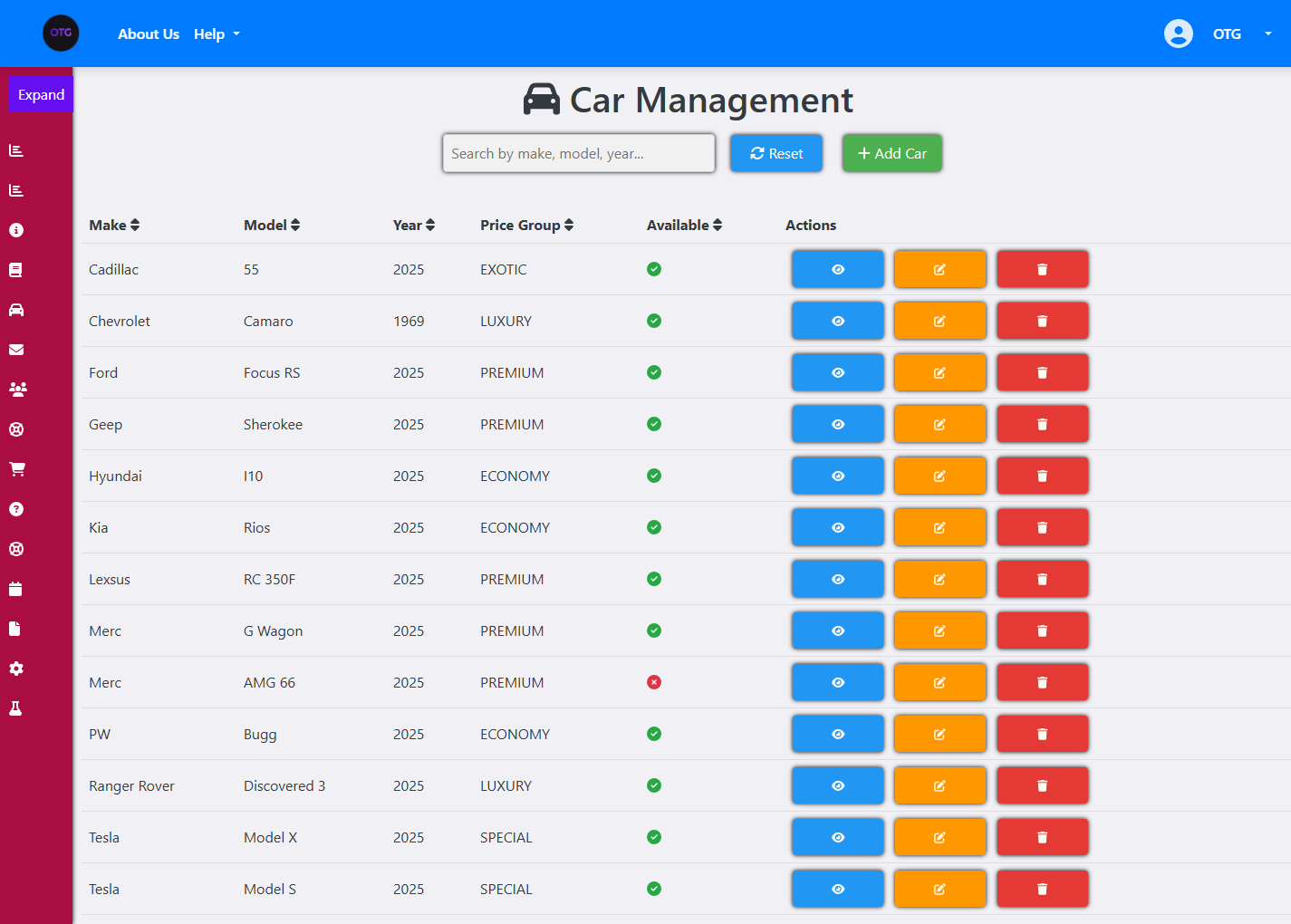
The admin dashboard provides comprehensive fleet management. Here’s the Car Management page showing the full fleet with availability status:
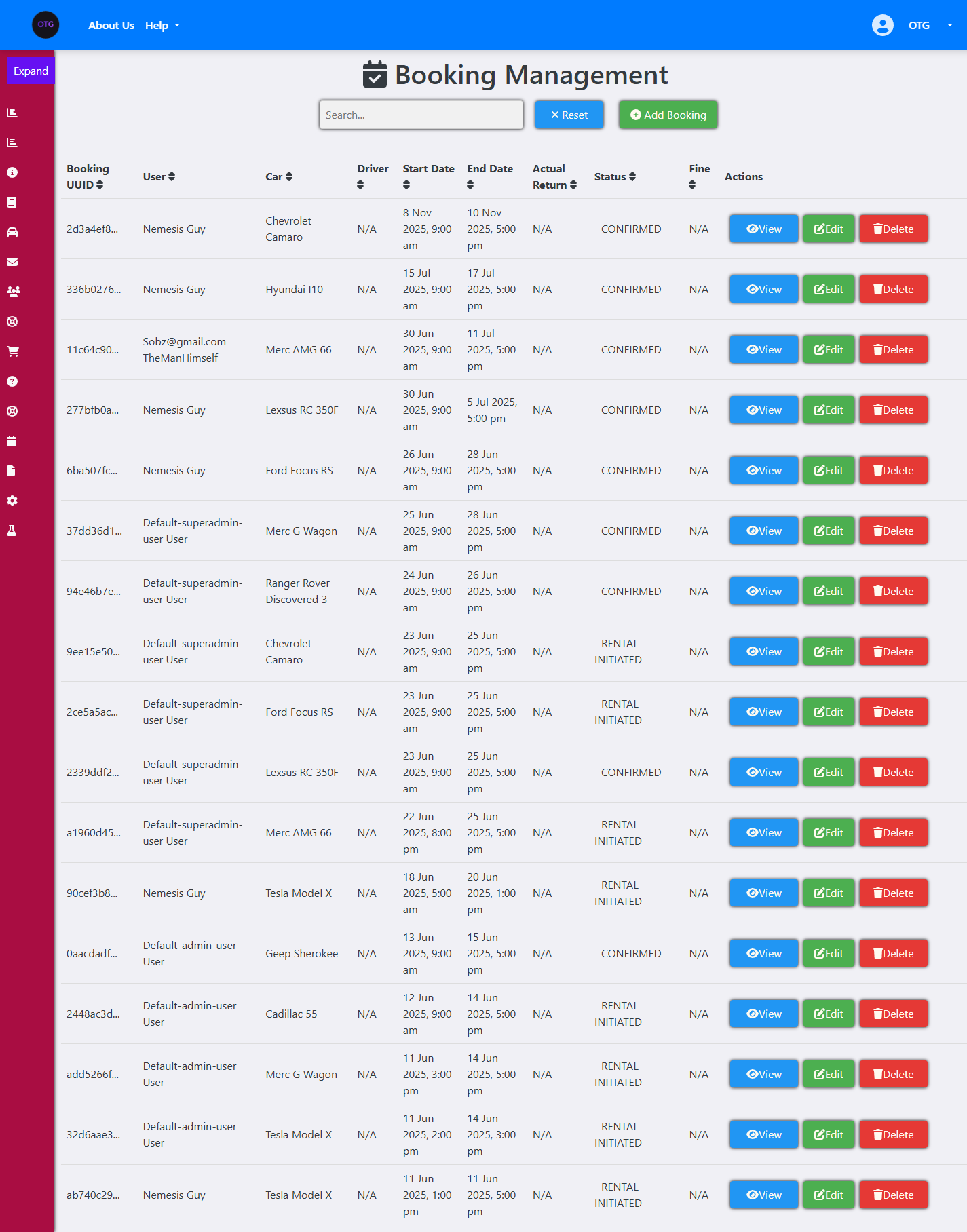
Booking Management with status tracking across the full lifecycle:
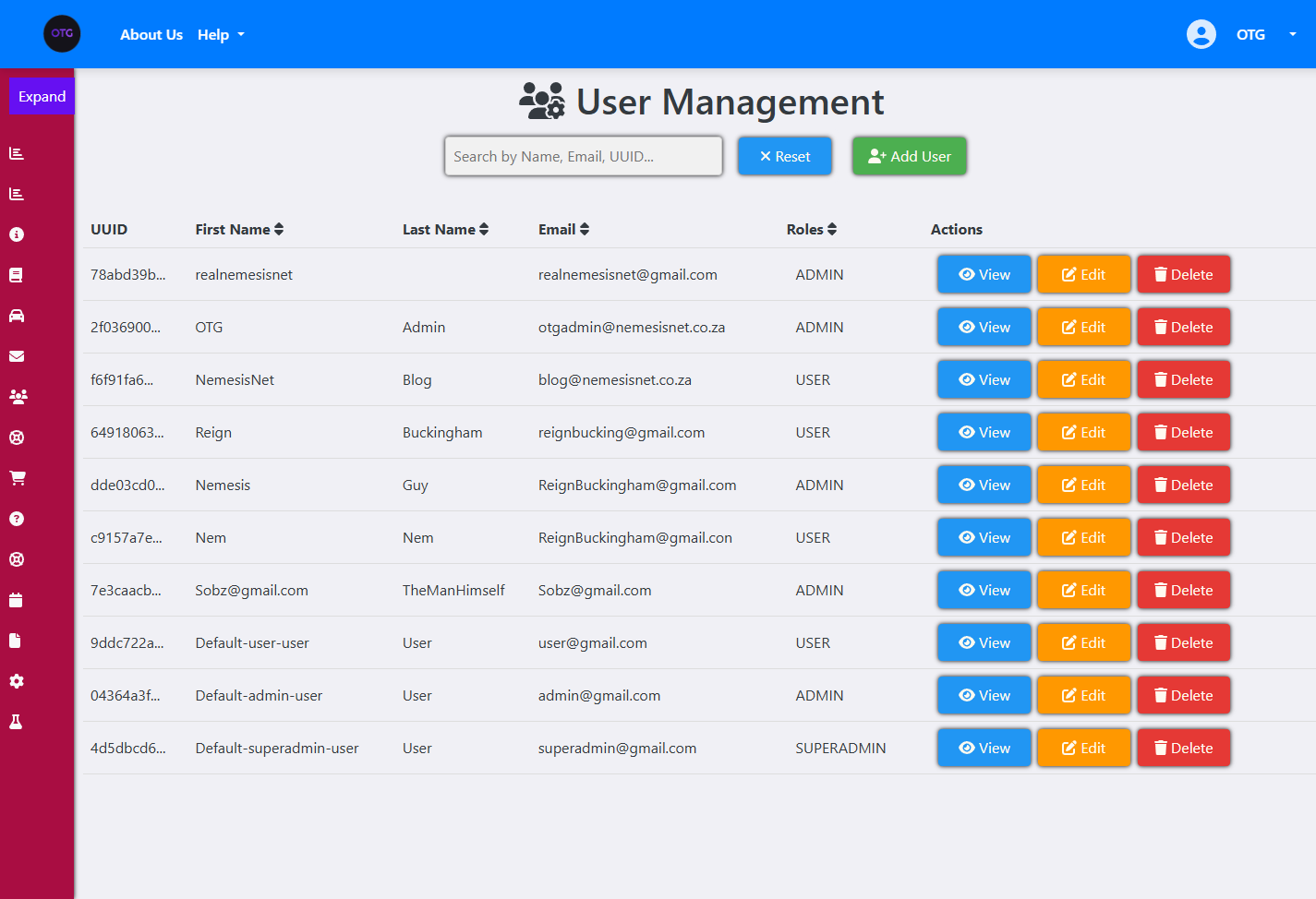
User Management with role-based access control:
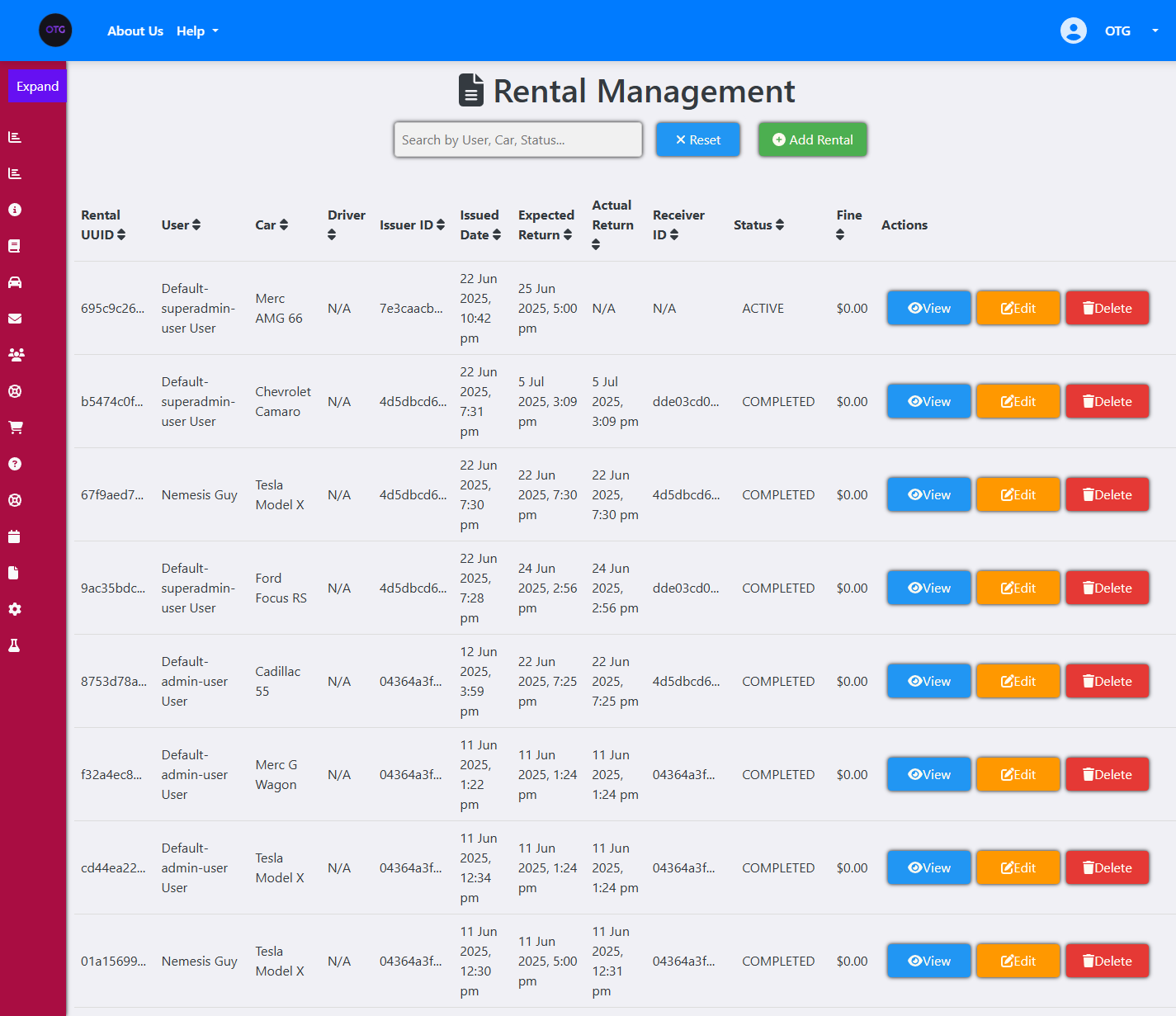
Rental Management for processing active rentals:
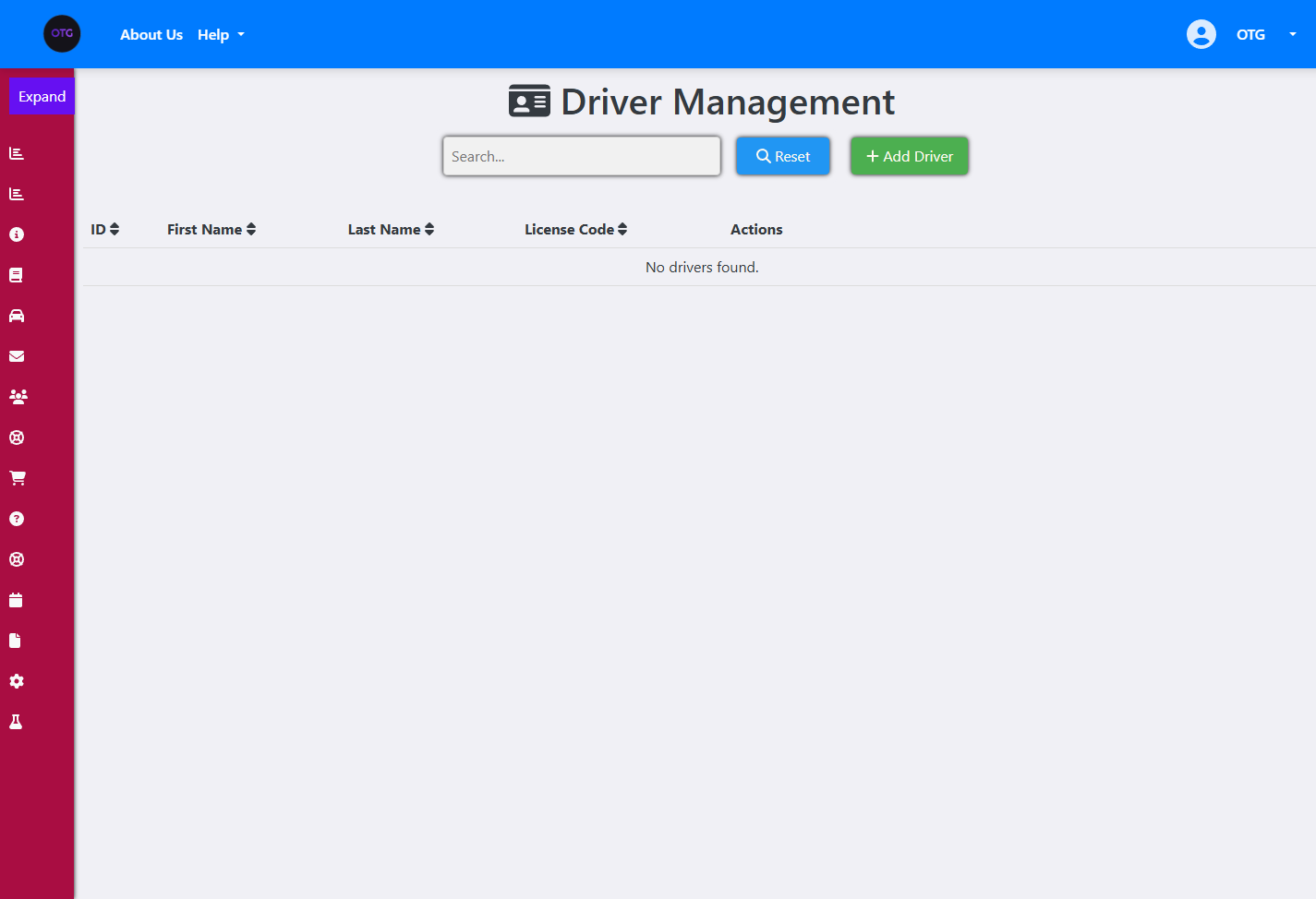
Driver Management for delivery services:
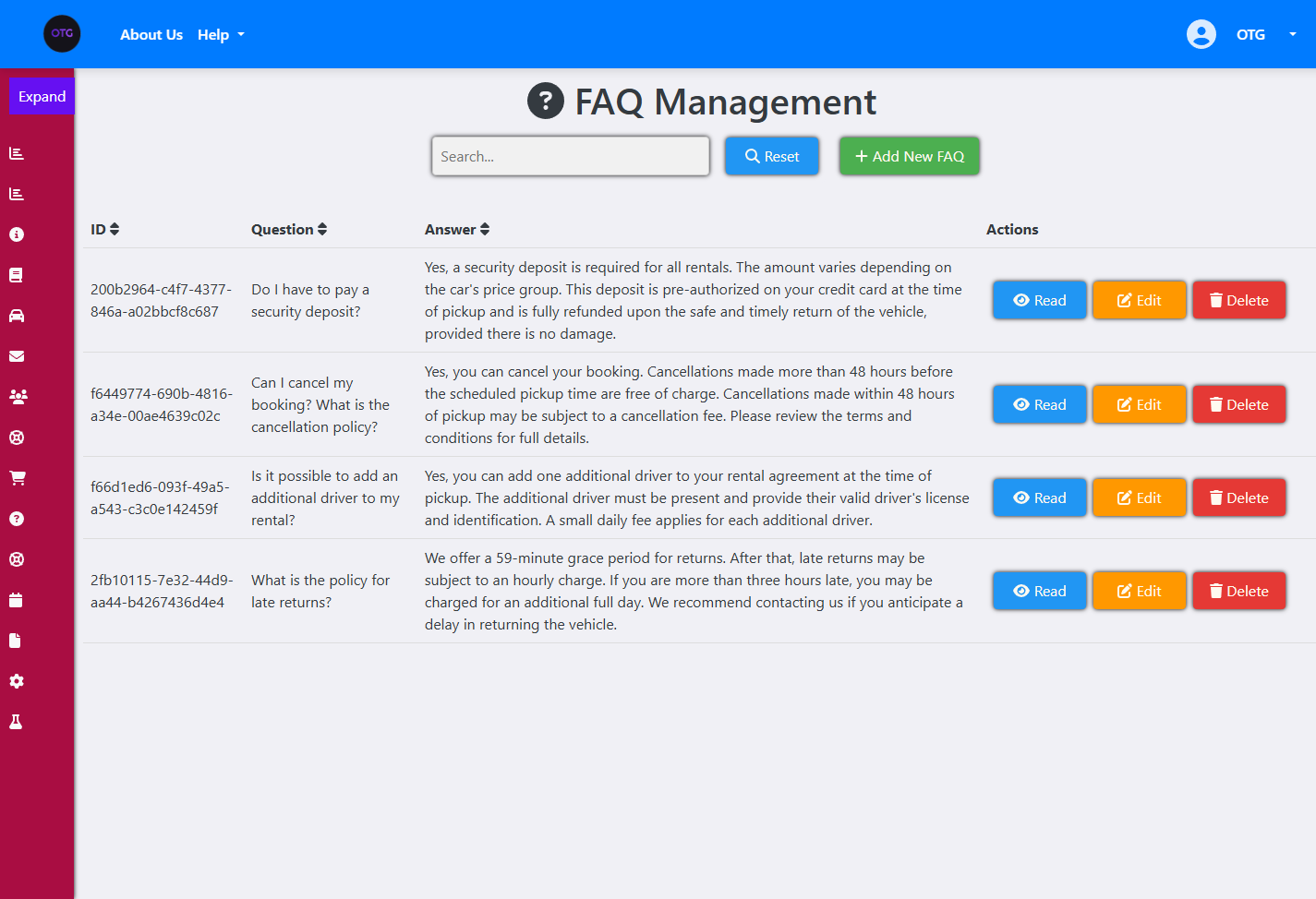
FAQ Management for customer-facing questions:
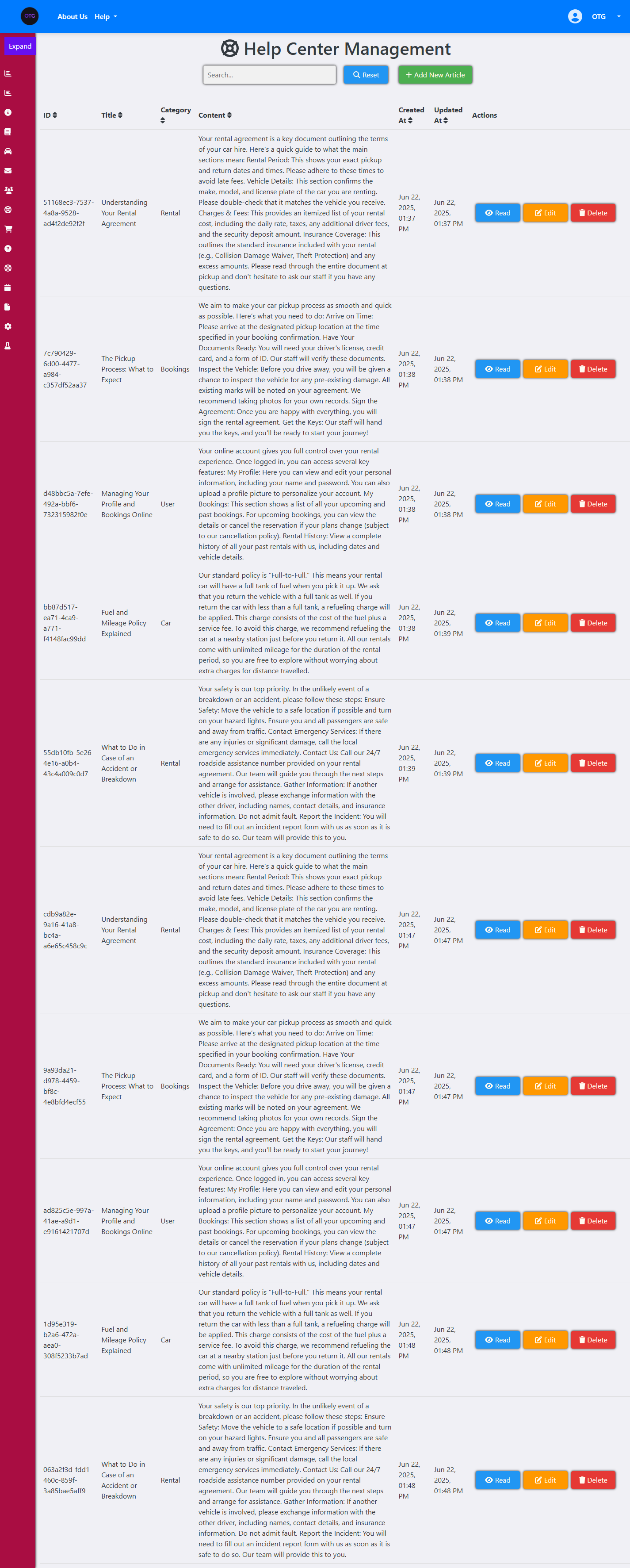
Help Center Management for support articles:
Contact Us Management for customer inquiries:
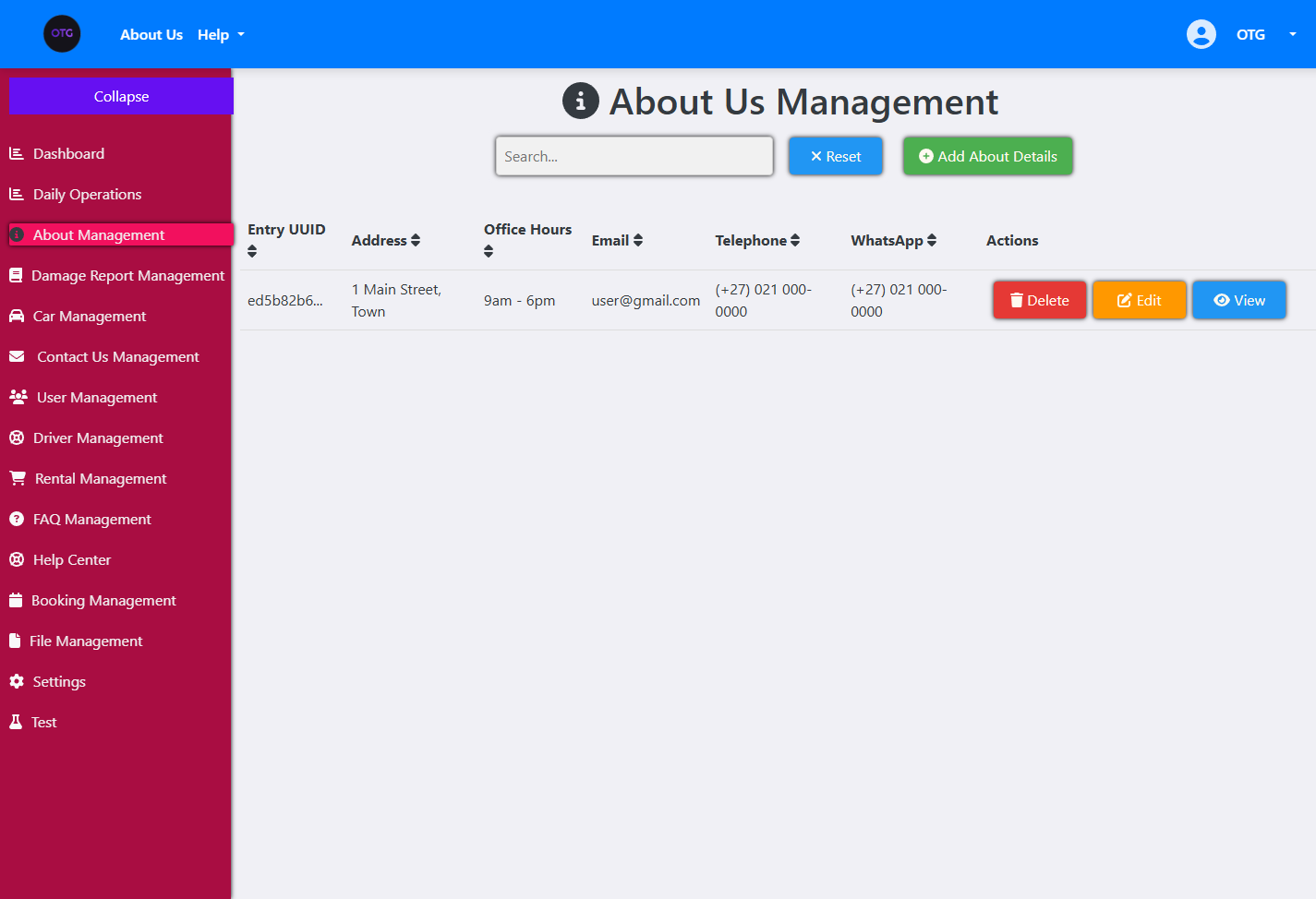
About Us Management for company information:
File Management for storage operations:
Settings Management for system configuration:
The Rental Management Flow
The admin rental management page is where the physical handoff happens. When a customer arrives, the admin:
- Finds the confirmed booking in the Booking Management page
- Clicks “Initiate Rental” which calls
/api/v1/rentals/from-booking/{uuid} - Assigns a driver if needed (for delivery services)
- Sets the expected return date
- When the car is returned, clicks “Complete Rental” which applies any fines and sets the car back to AVAILABLE
The Staff Daily Operations page provides a focused view of today’s activity: Collections (bookings starting today), Returns (rentals ending today), and Overdue (rentals past their return date). This is the screen staff check first thing in the morning.
Looking Back: Technical Debt and Architectural Evolution
No project is perfect, and OnTheGoRentals is no exception. As we prepared the v2.0-beta release, we identified several structural areas ripe for future architectural evolution.
The Email Bottleneck
The most prominent bottleneck is our transactional email relay system. Currently, when a booking is confirmed, the Spring Boot application synchronously renders an HTML template using Thymeleaf and sends it to our email provider. This adds up to 1.5 seconds of latency to the checkout response. In a high-traffic scenario, this synchronous call could block the booking thread pool.
The fix is straightforward: introduce a message queue (RabbitMQ or Kafka) for email delivery. The booking service publishes a “BookingConfirmed” event, and a separate email consumer processes it asynchronously. This decouples the booking flow from email delivery and allows the API to respond immediately.
The Concurrency Question
Our current JPQL overlap query works well for moderate traffic, but we’re aware of its limitations. Under extreme load, the READ_COMMITTED isolation level could still allow edge-case race conditions. The overlap query and the save happen in the same transaction, but the transaction isn’t holding a row-level lock during the query — it’s relying on the database’s statement-level consistency.
For truly high-concurrency scenarios, we’d consider optimistic locking with a version column, or database-level advisory locks (SELECT ... FOR UPDATE) on the car row during booking creation. But for the current scale — a single-fleet rental operation — the JPQL approach is sufficient and much simpler to reason about.
The Storage Migration Path
The MinIO integration is solid, but we haven’t yet tested the migration path to AWS S3. The IFileStorageService interface is designed for it, but S3 has different bucket policies, CORS configurations, and pre-signed URL mechanics. When the time comes to migrate, we’ll need to test the S3StorageService implementation thoroughly.
What We’d Do Differently
If we were starting over today, we’d invest earlier in event sourcing for the booking lifecycle. Every status transition would emit an event, creating a complete audit trail that’s queryable and replayable. We’d also add distributed tracing (OpenTelemetry) from day one — retrofitting it into an existing system is always harder than building it in from the start.
We’d also reconsider the @OneToMany(fetch = FetchType.EAGER) on the Car entity’s images list. Eager fetching causes N+1 query problems when listing multiple cars. A @BatchSize annotation or entity graphs would be more performant at scale.
Need a Rental Platform?
OnTheGoRentals is a production-ready template that can be adapted for cars, bicycles, houses, tools, or any rentable asset. The core architecture — booking engine, authentication, admin dashboard, observability — is built to scale. If you’re looking for a foundation to build on, let’s talk.

One thought on “OnTheGoRentals Part 3: Infrastructure & Operations — Building a Production-Ready Rental SaaS”
Comments are closed.