
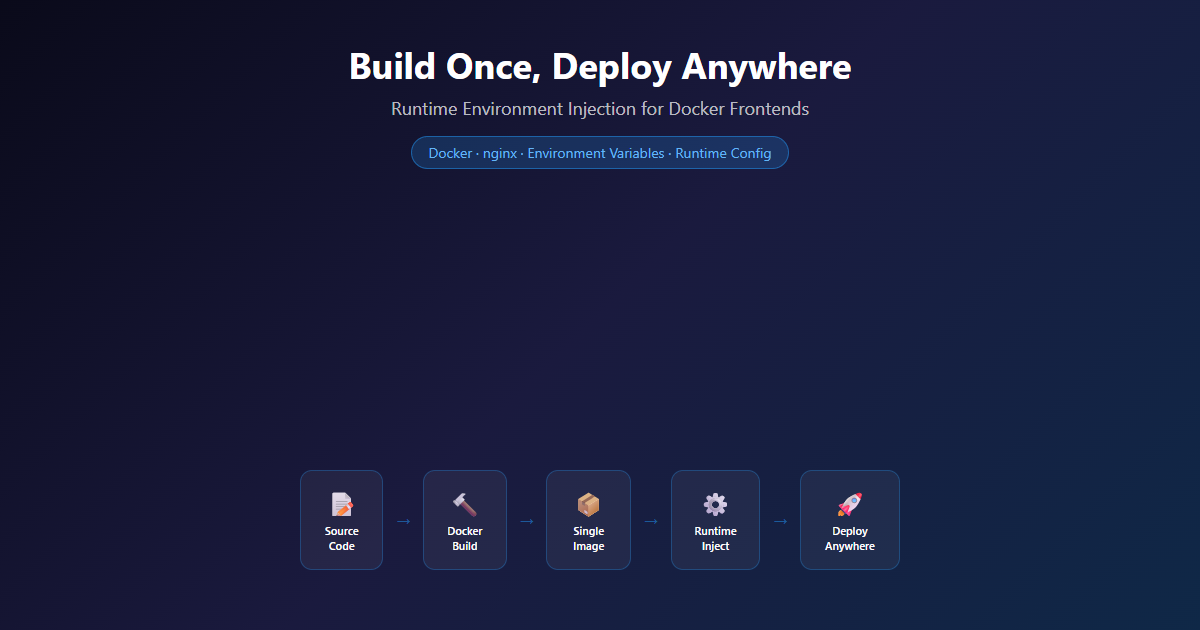
You build a Docker image for your Vue.js frontend. It works perfectly in staging. You push the same image to production and nothing loads. The API URL is wrong. The analytics ID is staging’s. The feature flags are all set for testing.
TL;DR
- Ship one Docker image everywhere — runtime values injected by entrypoint script, never baked in at build time.
- Kills staging-config-in-prod failures: wrong API URLs, wrong analytics IDs, wrong feature flags.
- Works with any static frontend — entrypoint templating plus mounted environment, no framework lock-in.
- Use it for per-environment config; reach for a secrets manager when it is actually secret.
What You’ll Learn
Build-Time vs Runtime Config
Why environment variables baked into bundles cause rebuild hell.
Entrypoint Script Injection
How sed replaces placeholders at container startup.
Multi-Stage Dockerfile
Node.js builder + nginx server in one image.
Multi-Environment Deployment
Same image, different config, zero rebuilds.
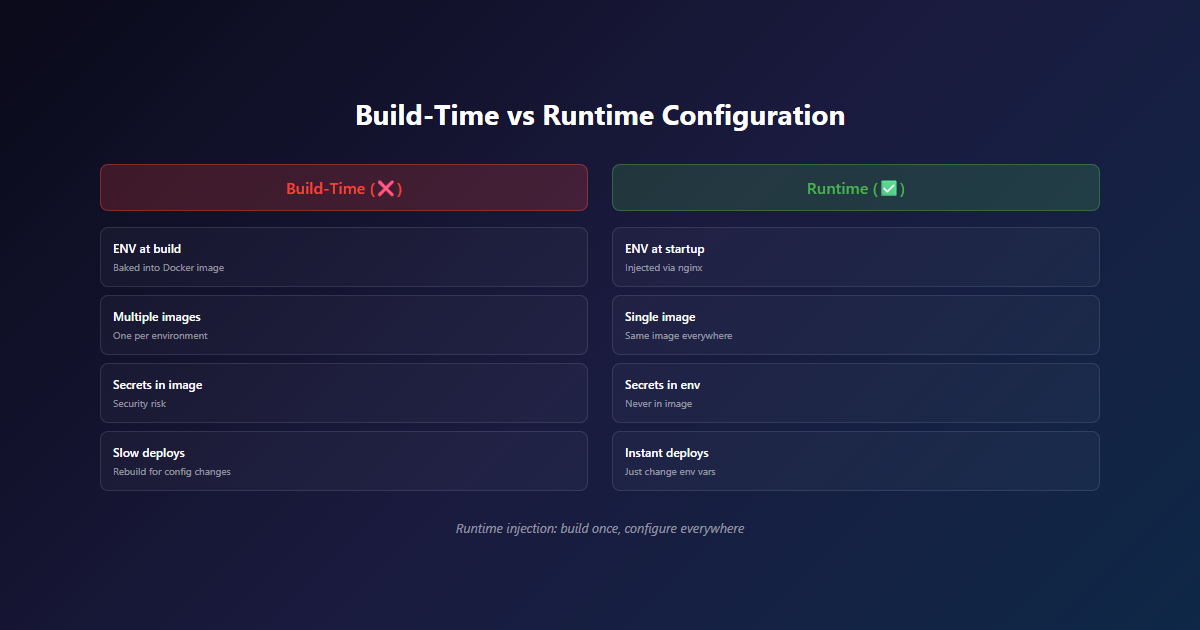
Your first instinct: rebuild the image with production env vars. Then staging needs a tweak — rebuild again. Then you need to hotfix a feature flag — rebuild again. Suddenly you’re not practicing immutable infrastructure. You’re practicing “rebuild infrastructure.”
Here’s the problem: Vite, Create React App, and Next.js all bake environment variables into the JavaScript bundle at build time. Once the image is built, those values are frozen. Change them and you rebuild.
For South African teams, this hits harder. Every rebuild burns CI minutes that cost dollars at R18.50/USD. Every pipeline run adds latency when you’re already competing with teams in better-connected regions. We solved this by injecting configuration at container startup time instead. One Docker image, any environment, zero rebuilds. Here’s how.
The Problem We Actually Faced
This isn’t theoretical. We hit this wall while deploying the same frontend across three environments — development, staging, and production — for a client’s SaaS platform. Each environment needed different API endpoints, analytics IDs, and feature flags.
Our initial approach was the obvious one: set VITE_API_URL in the CI pipeline, build the image, push it. Simple enough for one environment. But when staging needed a different analytics ID, we had to trigger a separate build. When production needed a feature flag toggled, another build. Three environments meant three builds for every config change.
The breaking point came when we needed to rotate an API key in production at 11pm. The change took 30 seconds in our Docker Compose file, but the rebuild and deploy pipeline took 8 minutes. During those 8 minutes, the frontend was calling an API with a dead key.
Related: This pattern pairs perfectly with our self-hosted CI/CD pipeline — same Docker image, different environments, zero rebuilds.
The Solution: Entrypoint Script Injection
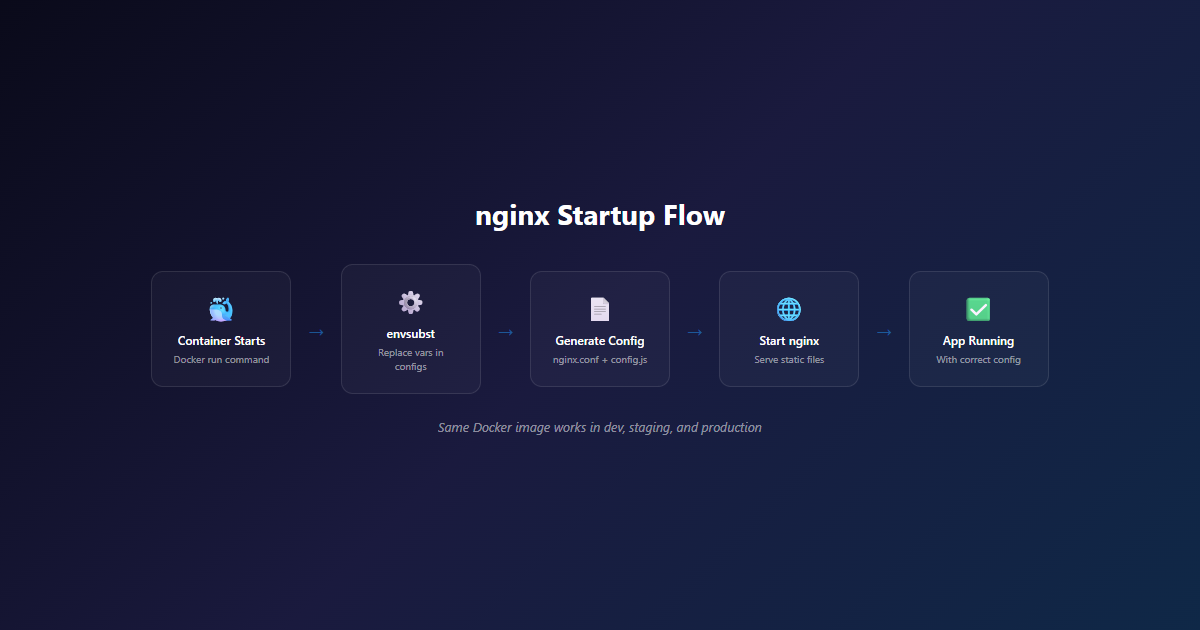
The approach is simple: use a shell script as the container’s entrypoint. Before nginx starts, the script reads environment variables and replaces placeholders in a JavaScript config file. The frontend reads that config file at runtime instead of relying on build-time variables.
How It Works
- Build time: A
config.jsfile with placeholder values (##VITE_API_URL##) gets copied into the Docker image - Docker Compose: Environment variables are passed to the container at runtime
- Entrypoint script: On container startup,
sedreplaces placeholders with actual values - Runtime: The frontend reads
window.__RUNTIME_CONFIG__instead ofimport.meta.env
One image. Any environment. Zero rebuilds for config changes.
Technical Implementation
Step 1: Create the Runtime Config File
// public/config.js
window.__RUNTIME_CONFIG__ = {
  VITE_API_URL: "##VITE_API_URL##",
  VITE_ANALYTICS_ID: "##VITE_ANALYTICS_ID##",
  VITE_FEATURE_X: "##VITE_FEATURE_X##"
};
This file ships with the Docker image. The ##VAR## placeholders are just strings that sed will replace at startup.
Step 2: Frontend Code to Read Config
// src/lib/config.js
const config = window.__RUNTIME_CONFIG__ || {};

export const API_URL = config.VITE_API_URL ||
                      import.meta.env.VITE_API_URL ||
                      'http://localhost:8080';
We use a fallback chain: runtime config first, then build-time env vars (for local dev), then a hardcoded default. This means the app still works locally without Docker.
Step 3: The Entrypoint Script
#!/bin/sh
set -e

ROOT_DIR=/usr/share/nginx/html
CONFIG_FILE=${ROOT_DIR}/config.js

# Replace placeholders with environment variables
echo "Configuring API URL: ${VITE_API_URL}"
sed -i "s|##VITE_API_URL##|${VITE_API_URL}|g" ${CONFIG_FILE}

echo "Configuring Analytics ID: ${VITE_ANALYTICS_ID}"
sed -i "s|##VITE_ANALYTICS_ID##|${VITE_ANALYTICS_ID}|g" ${CONFIG_FILE}

echo "Configuring Feature X: ${VITE_FEATURE_X}"
sed -i "s|##VITE_FEATURE_X##|${VITE_FEATURE_X}|g" ${CONFIG_FILE}

# Execute the main command (nginx)
exec "$@"
The exec "$@" at the end is critical — it replaces the shell process with nginx, so nginx becomes PID 1 and receives signals properly. Without it, nginx runs as a child of the shell and won’t handle graceful shutdowns.
Step 4: The Dockerfile
FROM node:18-alpine AS builder
WORKDIR /app
COPY package*.json ./
RUN npm install
COPY . .
RUN npm run build

FROM nginx:alpine
COPY --from=builder /app/dist /usr/share/nginx/html
COPY entrypoint.sh /entrypoint.sh
RUN chmod +x /entrypoint.sh
COPY nginx.conf /etc/nginx/conf.d/default.conf
COPY public/config.js /usr/share/nginx/html/config.js

ENTRYPOINT ["/entrypoint.sh"]
CMD ["nginx", "-g", "daemon off;"]
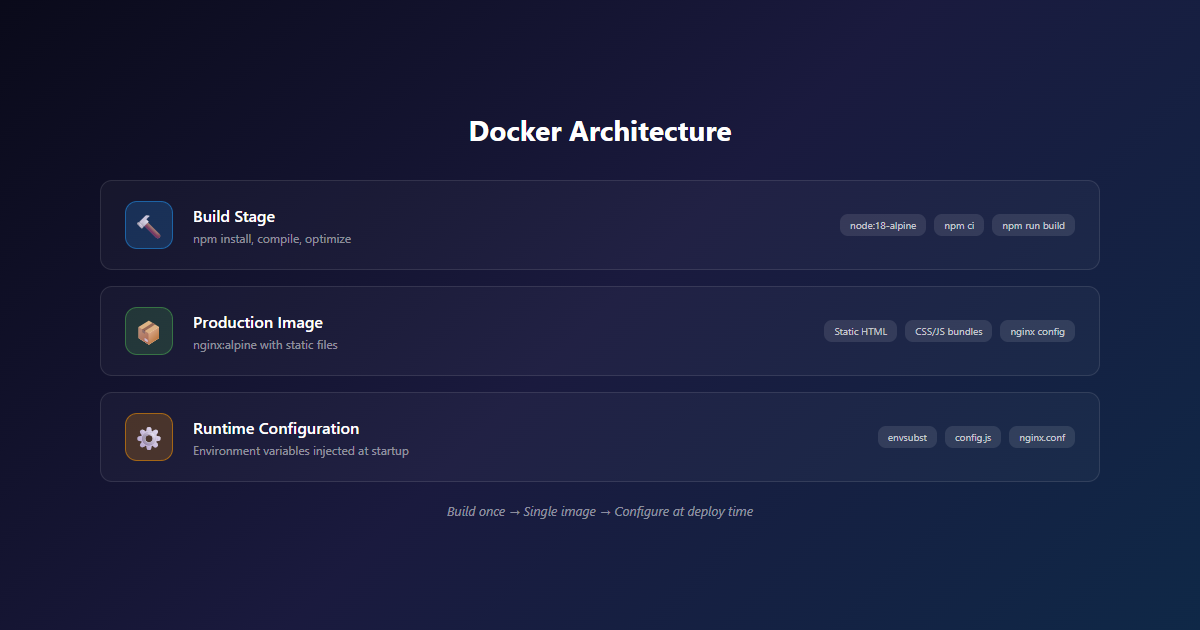
Multi-stage build: Node for the frontend build, nginx for serving. The entrypoint script runs before nginx starts.
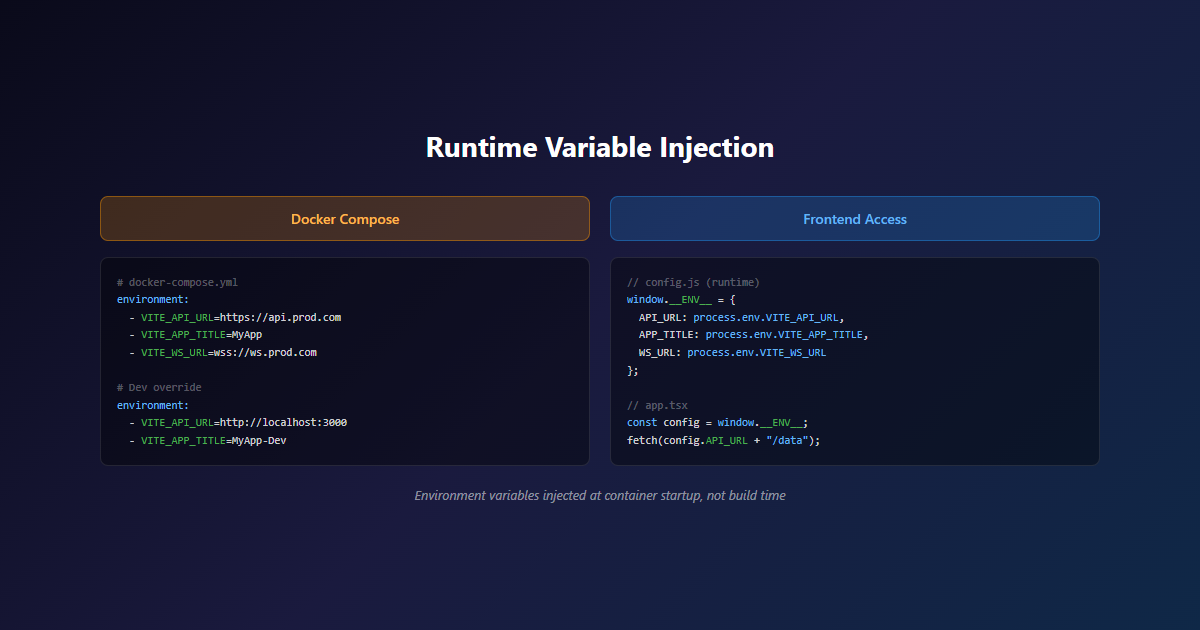
Step 5: Docker Compose — Different Environments, Same Image
# docker-compose.prod.yml
services:
  frontend:
    image: your-registry/frontend:latest
    environment:
      - VITE_API_URL=https://api.production.example.com
      - VITE_ANALYTICS_ID=UA-PROD-XXXXXXX
      - VITE_FEATURE_X=true

# docker-compose.staging.yml
services:
  frontend:
    image: your-registry/frontend:latest  # Same image!
    environment:
      - VITE_API_URL=https://api.staging.example.com
      - VITE_ANALYTICS_ID=UA-STAGING-XXXXXXX
      - VITE_FEATURE_X=false
Same image. Different config. No rebuild needed.
Why Not Just Use Environment Variables Directly?
Good question. Here’s why this approach beats the alternatives:
| Approach | Pros | Cons |
|---|---|---|
| Build-time env vars | Simple, works out of the box | Rebuild required for every config change |
| Runtime injection (this approach) | One image, any environment, instant config changes | Requires entrypoint script, placeholder management |
| External config service | Centralised, dynamic updates | Adds infrastructure complexity, network dependency |
| Kubernetes ConfigMaps | Native to K8s, versioned | Overkill for Docker Compose setups |
| Nginx variable injection | No JS changes needed | Limited to values nginx can handle |
The runtime injection approach hits the sweet spot: simple enough for a Docker Compose setup, flexible enough for multi-environment deployments, and doesn’t require additional infrastructure.
What We Learned (The Hard Way)
Lesson: Placeholder Strings Must Be URL-Safe
We used ##VAR## as placeholders because they’re unlikely to appear in real values. Don’t use __VAR__ or {{VAR}} — those can collide with template syntax or real data.
Lesson: Validate on Startup
Add checks in your entrypoint script to ensure required variables are set:
if [ -z "$VITE_API_URL" ]; then
  echo "ERROR: VITE_API_URL is not set"
  exit 1
fi
A missing env var that silently falls back to a placeholder string is worse than a container that refuses to start.
Lesson: Log Configuration (But Not Secrets)
We log what was configured on startup so we can debug issues without checking the Docker Compose file:
echo "Starting frontend with:"
echo "  API_URL: ${VITE_API_URL}"
echo "  ANALYTICS_ID: ${VITE_ANALYTICS_ID}"
echo "  FEATURE_X: ${VITE_FEATURE_X}"
Never log secrets. But API URLs and feature flags are fine — they help with debugging and aren’t sensitive.
Lesson: Container Restart Required for Config Changes
This isn’t a live-reload system. Changing an environment variable requires a container restart. That’s a trade-off: you get instant config changes without rebuilding, but you still need to restart the container. For most use cases, that’s acceptable — a restart takes seconds, a rebuild takes minutes.
When This Approach Makes Sense
- Multi-environment deployments — dev, staging, production with different configs
- Feature flags without rebuilding — toggle features by changing env vars and restarting
- A/B testing — spin up containers with different configs from the same image
- API key rotation — update the env var, restart the container, done
- Client-specific deployments — same app, different branding/API endpoints per client
When It Doesn’t
- Single-environment apps — if you only deploy to production, build-time vars are simpler
- Frequent config changes — if you’re changing config multiple times per day, consider an external config service
- Secrets management — this approach is for configuration, not secrets. Use a proper secrets manager for sensitive values
- Kubernetes-heavy setups — if you’re already on K8s, ConfigMaps are probably a better fit
Key Lessons Summary
- Use
##VAR##placeholders — they’re URL-safe and unlikely to collide with real values. - Always validate required env vars on startup — a container that refuses to start is better than one with wrong config.
- Log config, not secrets — API URLs and feature flags help debugging, credentials don’t.
- Runtime injection beats rebuilds — one image, any environment, instant config changes.
- Container restart is the trade-off — not live-reload, but still faster than rebuilding.
Conclusion: Ship Once, Configure Anywhere
Runtime environment variable injection solves a real problem: the mismatch between Docker’s “build once, deploy anywhere” promise and frontend frameworks’ build-time configuration model. It’s not glamorous, but it’s practical.
The trade-off is clear: you trade a bit of complexity in your Docker setup for the ability to change configuration without rebuilding. For teams managing multiple environments, that trade-off pays for itself quickly.
At NemesisNet, we use this pattern across all our Dockerized frontend deployments. It’s one of those things that seems unnecessary until you need to hotfix a production config at midnight — then it becomes the most important part of your infrastructure.
For South African developers and agencies, this approach is even more valuable. When you’re paying for CI minutes in dollars, dealing with loadshedding interruptions, or deploying to clients across the continent, the ability to ship once and configure anywhere isn’t a nice-to-have — it’s operational sanity.
Need Help with Your Docker Infrastructure?
We design and deploy containerized applications for South African businesses. Whether you need a multi-environment setup, CI/CD pipeline, or ongoing DevOps support, our team can help you build infrastructure that scales.

One thought on “Build Once, Deploy Anywhere: Runtime Env Injection for Dockerized Frontends”
Comments are closed.