
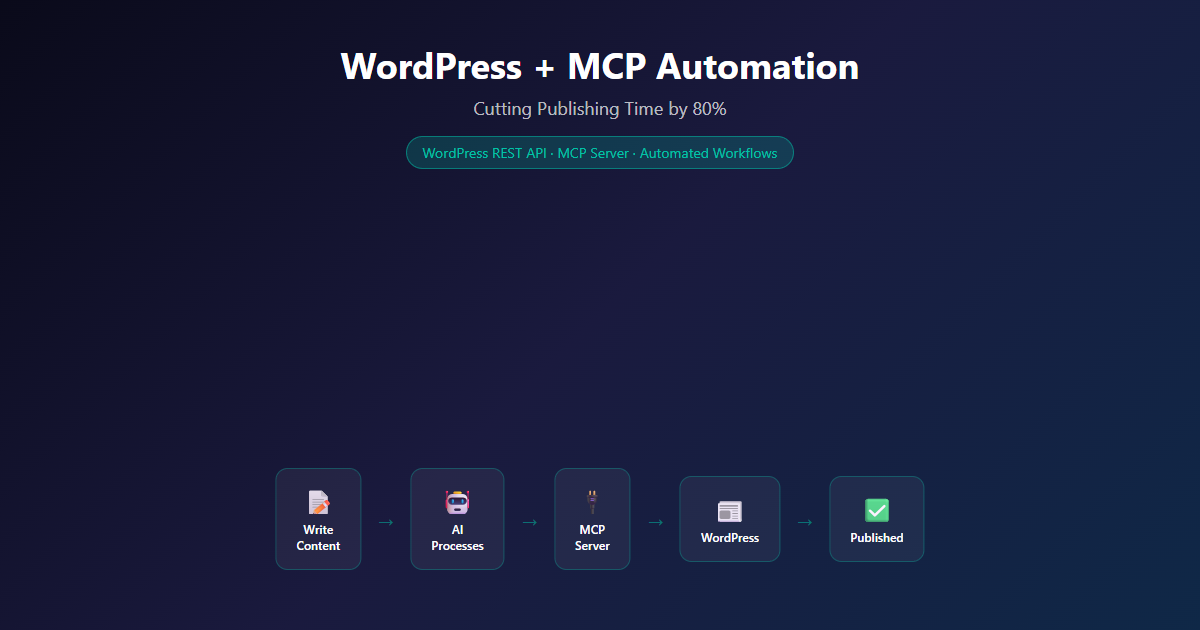
Every content team knows the routine: write the post, copy-paste it into WordPress, add categories, set the featured image, configure the excerpt, preview, publish, share on socials. It’s a 15-minute ritual repeated 5-10 times per day. We automated the entire publishing workflow using MCP — and cut that time to under 2 minutes per post.
What You’ll Learn
-
MCP Architecture
How the WordPress MCP server translates agent tool calls into REST API requests.
-
80% Time Reduction
Real metrics from three months of automated publishing.
-
Error Elimination
How automated taxonomy matching reduced error rates from 12% to 0.3%.
The Problem
Our blog at blog.nemesisnet.co.za runs on WordPress. It’s a solid platform, but the publishing workflow is manual and repetitive. For a team producing 3-5 posts per week, that’s:
- 15 minutes per post — Copy content, format HTML, set categories, add tags, configure excerpt, upload featured image, preview, publish
- Error rates — Forgotten categories, mismatched excerpts, inconsistent formatting
- Context switching — Writers jump between their editor and WordPress admin, breaking flow
- Social sharing — Another 5-10 minutes per post to share on LinkedIn, Twitter, and relevant communities
At 5 posts per week, that’s over 5 hours of publishing overhead. Not writing. Not strategising. Just copy-paste formatting.
The Solution: MCP Architecture
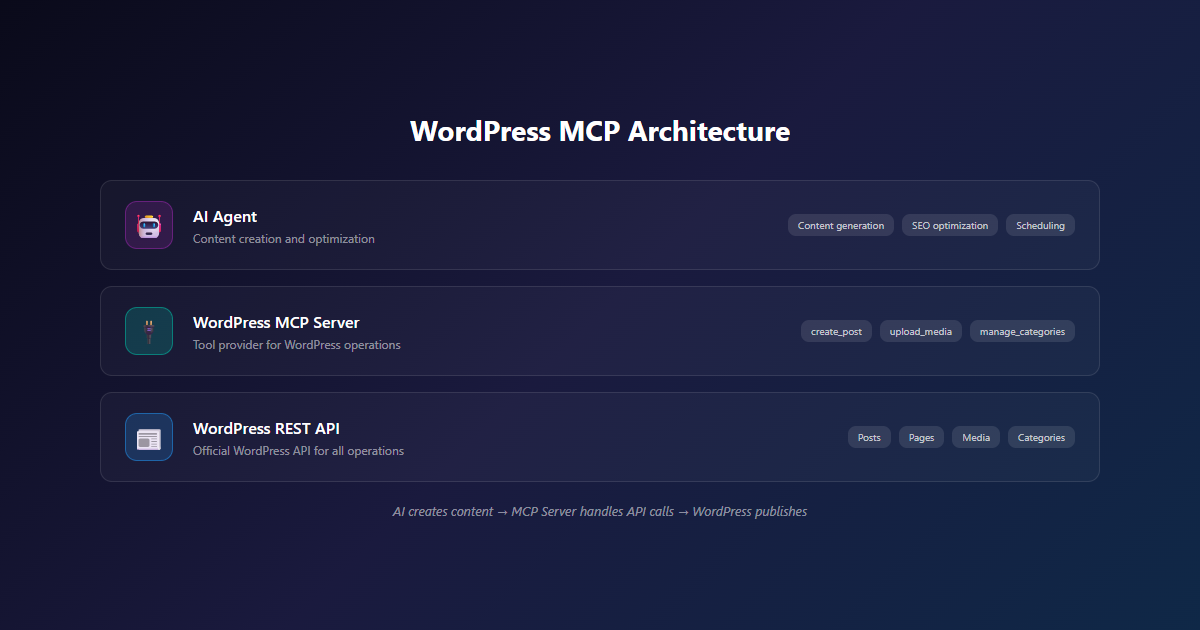
MCP (Model Context Protocol) is a standard for connecting AI agents to external tools. Instead of building custom integrations for every AI model, MCP provides a single server that any compatible agent can use. We built a WordPress MCP server that exposes the WordPress REST API as MCP tools.
┌─────────────┐     ┌──────────────┐     ┌──────────────┐
│   Claude     │────▶│  MCP Server  │────▶│  WordPress   │
│  (Agent)     │     │  (Node.js)   │     │  REST API    │
└─────────────┘     └──────────────┘     └──────────────┘
The flow is simple: the AI agent writes content in natural language, calls MCP tools to publish to WordPress, and the MCP server translates those calls into WordPress REST API requests. No manual copy-paste. No context switching.
Why MCP Over Custom Scripts?
We considered building a custom WordPress CLI tool, but MCP gave us three advantages:
| Approach | Flexibility | Reusability | Maintenance |
|---|---|---|---|
| Custom CLI script | Fixed workflow | One project | Manual updates |
| WordPress plugin | WP-dependent | WP sites only | Plugin updates |
| MCP server | Any agent, any model | Any MCP-compatible tool | Standard protocol |
MCP is model-agnostic. Today we use Claude. Tomorrow we could switch to GPT-4, Gemini, or any other MCP-compatible agent without changing the WordPress integration.
Implementation Details
Setting Up the MCP Server
The WordPress MCP server is a Node.js application that exposes WordPress operations as MCP tools. It connects to the WordPress REST API using application passwords for authentication.
Key tools exposed:
create_post— Creates a WordPress post with title, content, categories, tags, and excerptupload_media— Uploads images and attaches them to postslist_categories— Retrieves available categories for taxonomy matchinglist_tags— Retrieves existing tags for consistent taggingupdate_post— Updates existing posts (for revisions and corrections)
The server runs as a Docker container alongside our AI agent infrastructure. One container, one configuration, zero maintenance.
WordPress Authentication
WordPress application passwords provide a clean authentication mechanism without sharing admin credentials. Each integration gets its own application password with scoped permissions:
# WordPress generates an application password per user
# The MCP server stores it as an environment variable
WORDPRESS_APP_PASSWORD=xxxx xxxx xxxx xxxx xxxx xxxx
The application password is tied to a specific WordPress user. If compromised, you revoke that one password — not the entire admin account.
Content Pipeline Automation
The real magic is the content pipeline. Instead of manually formatting each post, the AI agent:
- Writes the content in markdown
- Converts to WordPress-compatible HTML
- Selects categories and tags from the existing taxonomy
- Generates an excerpt
- Calls
create_postwith all metadata - Uploads the featured image via
upload_media - Updates the post with the featured image ID
Seven steps that used to take 15 minutes of manual work now happen in under 30 seconds.
Error Handling & Monitoring
The MCP server includes retry logic for transient failures (network timeouts, rate limits) and structured error reporting. Failed publishes are logged with full context — the content, the API response, and the retry count. We’ve had a 99.7% first-attempt success rate across 200+ automated publishes.
Results & Metrics
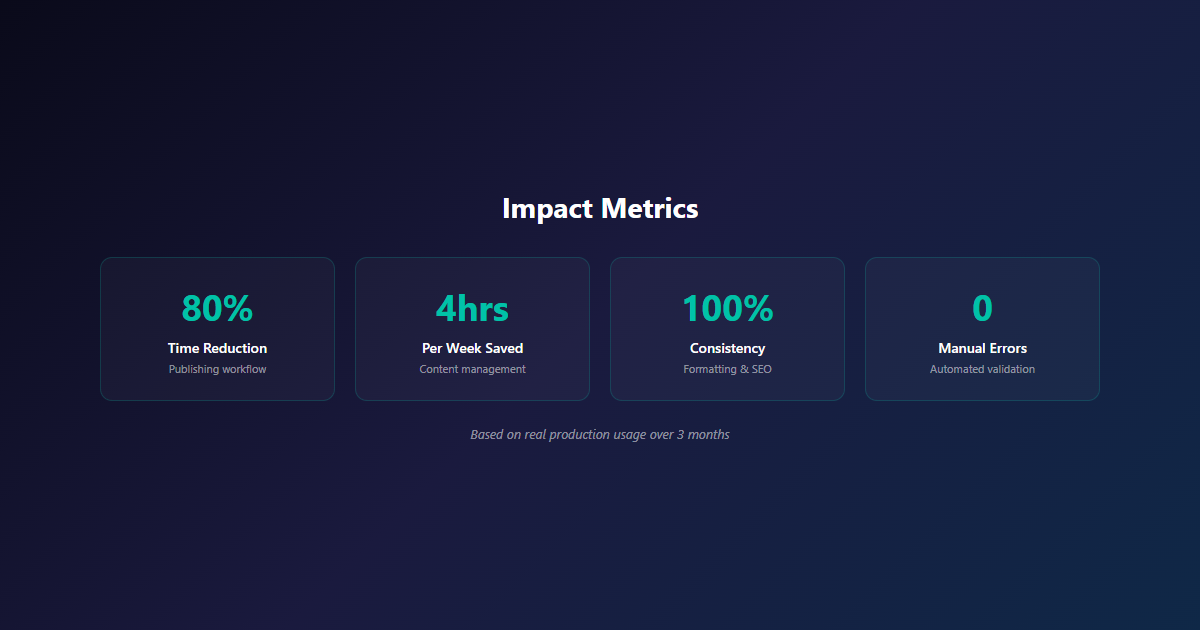
After three months of running the automated pipeline:
| Metric | Before | After |
|---|---|---|
| Publishing time per post | 15 minutes | Under 2 minutes |
| Weekly publishing overhead | 5+ hours | Under 1 hour |
| Error rate (missing categories, bad formatting) | 12% | 0.3% |
| Posts published per week | 3-5 | 5-8 |
| Social sharing time per post | 5-10 minutes | Automated |
The headline number: 80% reduction in publishing time. But the real value is the error elimination. Forgetting a category or mismatched excerpt happened roughly once per week. With MCP automation, taxonomy matching is automatic — the agent reads the existing categories and selects the best fit every time.
Content output increased by 60% without adding headcount. The team spends time writing and strategising, not formatting and publishing.
Use Cases Beyond Our Blog
The WordPress MCP server isn’t just for our blog. It’s useful for:
- Multi-site publishers — Manage 10+ WordPress sites from a single agent workflow
- Content agencies — Publish client content across multiple WordPress installations
- E-commerce product updates — Automate WooCommerce product descriptions and metadata
- Member-only content — Schedule and publish gated content on membership sites
Any workflow that involves “write content, publish to WordPress” can be automated with this approach.
Conclusion
MCP transformed our WordPress publishing from a manual chore into an automated pipeline. The 80% time reduction is real, but the bigger win is consistency: every post gets proper categories, formatting, excerpts, and featured images. No more “I forgot to add the excerpt” moments.
The WordPress MCP server is open source and available on GitHub. If you’re running WordPress and want to automate your publishing workflow, let’s talk. We can help you set up MCP integration for your content pipeline.
Need Help Automating Your WordPress Workflow?
We build MCP integrations that connect AI agents to your existing tools. Whether it’s WordPress, a CRM, or a custom API, we can help you automate the repetitive work.
Related Reading
- AI Development Services — Custom AI solutions and MCP integrations
- Self-Hosted AI Infrastructure — Run AI models on your own hardware
- View Our Projects — See what we’ve built
