
WordPress MCP Server
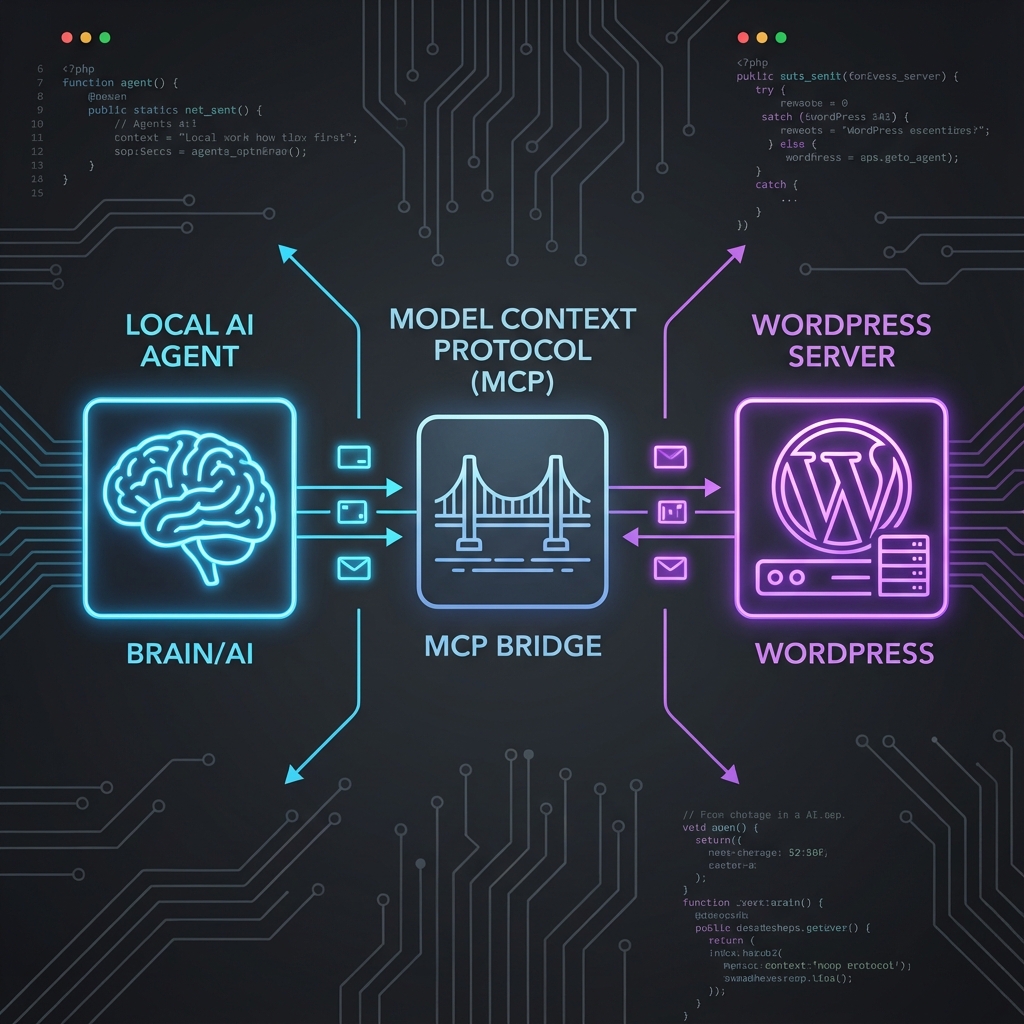
The WordPress MCP Server lets any MCP-capable assistant draft, publish, and organize WordPress content directly from your local environment. Here’s how we built it and how you can use it.
Introduction
If you’ve ever used an LLM to draft a blog post, you know the friction: copy the text, paste it into WordPress, fix the formatting, upload images separately, and set the tags. It breaks the flow.
We solved this by building a WordPress Model Context Protocol (MCP) Server. This open-source tool allows local AI agents (like Claude Desktop or custom VibeType agents) to talk directly to your WordPress instance. It turns “Can you publish this?” from a text generation task into an actual action.
Context & Architecture
The Model Context Protocol (MCP) is a standard for connecting AI models to external data and tools. For this project, we needed a bridge between the local agent environment and the remote WordPress REST API.
The Stack
- Runtime: Node.js with TypeScript for type safety.
- Communication: Stdio transport (standard input/output) for secure, local integration without exposing ports.
- API: WordPress REST API v2 using Application Passwords for authentication.
Step-by-Step Implementation
We started by defining the core capabilities our agent needed. It wasn’t enough to just “read” posts; we needed full CRUD (Create, Read, Update, Delete) access.
1. Authentication
Security was a priority. Instead of storing admin credentials, we used Application Passwords. This allows granular revocation and keeps the main account secure.
const auth = Buffer.from(`${username}:${appPassword}`).toString('base64');
const headers = { 'Authorization': `Basic ${auth}` };
2. Defining the Tools
We mapped WordPress API endpoints to MCP tools. Here are the key tools we implemented:
wordpress_create_post: Accepts title, content, and status to draft posts.wordpress_upload_media: Handles image uploads and attaches them to posts.wordpress_list_tags: Helps the agent find existing tags to avoid duplicates.
Showcase: The Agent in Action
With the server running, the workflow transforms. You can simply tell your agent:
“Draft a post about our new feature, tag it with ‘Release Notes’, and upload the attached screenshot as the featured image.”
The agent executes the tools in sequence:
- Uploads the image → Gets an ID (e.g., 1024).
- Searches for the ‘Release Notes’ tag → Gets an ID (e.g., 5).
- Creates the post with the content and links the image and tag.
Lessons Learned
Type Safety Matters: WordPress API responses can be inconsistent. Defining strict TypeScript interfaces for WordPressPost and WordPressMedia saved us from runtime errors when the agent tried to access non-existent properties.
Stdio vs. HTTP: Using Stdio transport was a game-changer for local development. It means the server runs inside the agent’s process tree, inheriting permissions and simplifying the security model significantly compared to running a local HTTP server.
Conclusion
The WordPress MCP Server bridges the gap between content generation and content management. It empowers developers to build “Headless CMS” workflows where the “Head” is an AI agent.
We are continuing to expand the toolset, recently adding support for Comments and User Management. Give it a try and streamline your publishing pipeline.
WordPress MCP Server
Open-source MCP server that connects AI assistants directly to your WordPress site. Includes full CRUD support for posts, media, tags, comments, and users.
MCP
WordPress REST API
TypeScript
Open Source

One thought on “Bring WordPress Into Your Agent Workflows with the WordPress MCP Server”